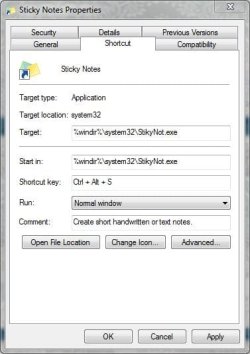
Never bothered with this before but was following a thread on here and I thought I'd see if I could help out.
So I r-clicked my shortcut, clicked "shortcut key" where it says none
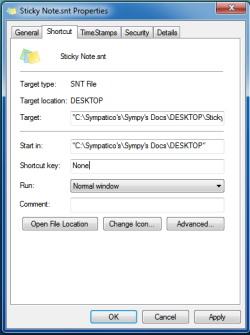
and clicked, and clicked and so on.
Won't let me enter any info .
???????
You should be able to just left click on it to select the Shortcut key box, then type in a key or function key that you want to use as the shortcut. If that key or function key is being used by something else, then it will not let you use it again though.
Computer type PC/Desktop System Manufacturer/Model Number Compaq sr5410f case OS Windows 7 Pro 64 SP1 CPU AMD X2 4450E @ 2.3 ghz Motherboard Biostar MCP6P M2+ Memory 4.0 g Graphics Card Nvidia GeForce 9600 GT , 512mb Sound Card onboard Monitor(s) Displays auria eq2367 Screen Resolution 1920 x 1080
Keyboard logitech wave cordless Mouse logitech LX8 cordless laser mouse PSU 250 watts Case Compaq Cooling couple fans Hard Drives 1 tb Hitachi HDT721010SLA scsi, 500 gb external Internet Speed comcast hi speed 19 dn 8 up Antivirus Microsoft Security Essentials Browser IE10 Other Info Laptop specs: HP g7-1365dx /
CPU: AMD A6-3420M APU with Radeon(tm) HD Graphics /
RAM: Crucial 8Gb (2x4Gb) /
SSD: Crucial M4-CT128M4SSD2 ATA Device/ FW 000F /
GFX: AMD Radeon HD 6520G /
OS: Microsoft Windows 7 Professional 64-bit 7601 Multiprocessor Free Service Pack 1
Humphhh I navigated to the Vista forum to follow that thread and could not post there... Must register for each OS ??? Well I do not use Vista... ohhh no !
Here's my problem: in XP I always used the keyboard shortcut "Cntl + Alt + P" to open photoshop. I'm trying to set it in Windows 7 but the shortcut does not stick ! Each time I reboot... pffttt it's gone ! Is there a secret ? What am I doing wrong ??