brianzion
Willing Helper
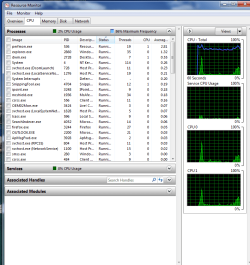
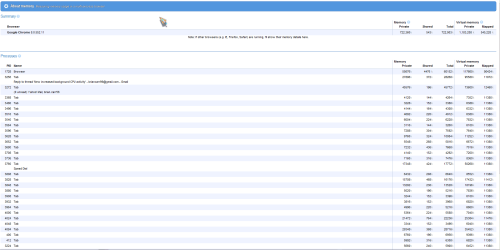
thats why i suggested looking with the process monitor because it will show every process what you are using, in your screen shot is a summary, the system idle process does not use power it is telling you how much is available what is free not being used. here are some of my processors
Holy Balls, all those Chrome processes can't be good.
well there is a reason for that chrome uses individual processors so if there is a crash the culprit processor crashes only. so not crashing the whole browser instead.
It's an operating system. I say this because Chrome has a feature that's extremely desirable for a cloud computing user environment: multiprocessing, which is designed to shut off troublesome browser bugs without shutting down the browser itself.
Multiprocessing or multitasking explains how modern computer operating systems -- especially Linux -- handle so much data without constantly crashing. Tasks are handled simultaneously, parsed into chunks that can be crunched in parallel. And when data can't be crunched? Quit the process instead of the OS. On a Mac, this is called "Force Quit." (Not sure what to call the Windows equivalent.)
Here's my point: Cloud computing depends on transforming the Web into a giant operating system that possesses the security and stability we demand from Windows, the Mac, Linux, and so on. No one expects this will happen soon; it's a process of gradual improvement. Chrome, with multiprocessing, appears to be a gradual improvement.
Attachments
Last edited:
My Computer
- Computer Manufacturer/Model Number
- packard bell IXTREME M5722
- OS
- Operating System : Windows 7 Home Premium Edition 6.01.7600 SP1 (x64)
- CPU
- Processor : Intel Core 2 Quad Q8300 @ 2500 MHz
- Motherboard
- Mainboard : Packard Bell (Acer EG43M )
- Memory
- Physical Memory :8GB Corsair4x 2GB 800MHz C5 DDR2
- Graphics Card(s)
- Video Card : XFX 6700 AMD
- Monitor(s) Displays
- Maestro 234DL - BenQ V2220 - BenQ VW2420H
- Screen Resolution
- Current Display :1920x1080p pixels at 60 Hz in HD LED
- Hard Drives
- Hard Disks : WDC (1000 GB)
Drive C: (Hard Disk) : 428 GB available on 491 GB
Drive D: (Hard Disk) : 426 GB available on 492 GB
SAMSUNG spinpoint HD103SJ 1000.2 GB
(X 2) KINGSTON SSD NOW V 30GB
- PSU
- XFX ProSeries 550W PSU
- Case
- PACKARD BELL IXTREME
- Cooling
- System Blower Current: 150mA Air Flow16CFM ;Akasa 90mm rear
- Keyboard
- Gigabyte Aivia K8100
- Mouse
- TRUST-Wireless Laser Mouse - Carbon edition MI-7770C
- Internet Speed
- TP-LINK > TL-WN951N / AV500 Gigabit Powerline Adapters
- Browser
- chrome dev
- Other Info
- EXTRA COOLING>(FAN CONTROLLER) PC Bay Cooler 3 x 40mm fans; Akasa AK-HD-BL Blue hard drive cooler 2 x 40 mm fan 4500 rpm 29.7 dBA
Bios> American Megatrends Inc.
Version : P01-A1
Date : 08/31/2009

 (the system idle process does not use anything like memory etc its there to tell you what you have in reserve of cpu in one term look at the Microsoft link i gave in a earlier post)
 . The article author's final comment sums it up: