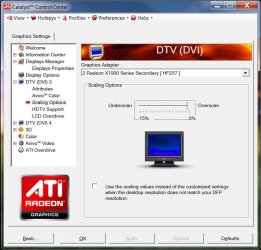
I just installed windows 7 yesterday. It feels great -- but there are a few problems I'm having. One of those is this odd little ring of unused pixels surrounding my screen.
I use a CRT monitor. Because of this, i can see the area where there are pixels and where there's just "the darkness of space." (I'm using layman's terms, i know, but i don't know how else to describe it.) Between "the darkness of space" and my windows 7 desktop, there's a darkened ring of about twenty pixels.
Now, i would resize my monitor, but two things are preventing me from doing that.
1. The general pixels size on my monitor would become larger from moving unused pixels off of the screen.
2. My windows XP installation uses all the available pixels on my screen, and resizing it would (probably) screw up my windows XP screen.
Is there a tweak of some sort to get windows 7 to use all the pixels available to it, or is this a problem what lies in my graphics card or drivers?
Intel Pentium 4, 2.66ghz
Nvidia 7300GT
CRT monitor, hp Pavilion mx70
1024 x 768 resolution
I use a CRT monitor. Because of this, i can see the area where there are pixels and where there's just "the darkness of space." (I'm using layman's terms, i know, but i don't know how else to describe it.) Between "the darkness of space" and my windows 7 desktop, there's a darkened ring of about twenty pixels.
Now, i would resize my monitor, but two things are preventing me from doing that.
1. The general pixels size on my monitor would become larger from moving unused pixels off of the screen.
2. My windows XP installation uses all the available pixels on my screen, and resizing it would (probably) screw up my windows XP screen.
Is there a tweak of some sort to get windows 7 to use all the pixels available to it, or is this a problem what lies in my graphics card or drivers?
Intel Pentium 4, 2.66ghz
Nvidia 7300GT
CRT monitor, hp Pavilion mx70
1024 x 768 resolution
My Computer
At a glance
Windows XP/7
- OS
- Windows XP/7