Windows 7 Forums


Windows 7: taskbar thumbnail real time preview

04 Jun 2009   #1

Windows 7 Ultimate 64 Bit RC Build 7100
 
 
taskbar thumbnail real time preview

i love the taskbar thumbnail preview but i have one problem.
It's not real time, I will explain.


I run What's up Gold on my windows 7 computer.
I normally have it minimized so i can work on other things.
Now if i want to check to see if all my server are up and running
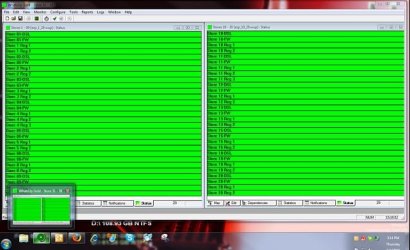
i will hover over my WUG icon in the taskbar and the preview window comes up. If i then hover over the little preview window then i get a full screen
view of WUG. One problem It's stuck in time. meaning what i am looking at in the preview and even the full screen preview is not what the program is
displaying right at this moment. What it is showing me is what was going on in WUG the last time it was opened fully and then minimized. So if i minimized it at 8:30am and it's now 4:00pm what i am seeing in the preview is from 8:30am. If i click on the preview and open WUG again it displays what is going on in real time.

I will include some screen shots.

The only thing i can think of is that i am running dual screens.
Attached Thumbnails
taskbar thumbnail real time preview-screen1.jpg  
My System SpecsSystem Spec

04 Jun 2009   #2

Windows 7 Build 7600|16384- 64bit
Tennessee


You have to occasionally reopen it to get a new preview. I noticed that sometimes when i am download things and i start doing other things, the preview will say like 85% downloaded, but when i go to the actual window it is done. Not sure how to make it be real time all the time, or why it even stops sometimes.
My System SpecsSystem Spec
04 Jun 2009   #3

Windows 7 Ultimate x64 SP1


Yes, this is a pet peeve of mine, I wish they would fix it already, or make it work like I think it should. You only get a live preview if the application is maximized, if it's running and minimized to the taskbar, it won't be a live preview.
My System SpecsSystem Spec
.


04 Jun 2009   #4

Windows 7 Build 7600|16384- 64bit
Tennessee


Anybody report this problem to Microsoft?
My System SpecsSystem Spec
04 Jun 2009   #5

Windows 7 Ultimate 64 Bit RC Build 7100
 
 
i would if

i know where to report it. I still have not found any good place to report bugs. i mean this is Beta.
I have a printing issue also but that is for another thread.
My System SpecsSystem Spec
04 Jun 2009   #6

Windows 7 Ultimate x64
Milton Keynes, United Kingdom


Just sent feedback to Microsoft, hopefully they'll take an interest
My System SpecsSystem Spec
04 Jun 2009   #7

Windows 7 Ultimate 64 Bit RC Build 7100


Quote   Quote: Originally Posted by Orbital Shark View Post
Just sent feedback to Microsoft, hopefully they'll take an interest
can i ask where you sent the feedback to?
My System SpecsSystem Spec
04 Jun 2009   #8

Windows 7 Ultimate x64
Milton Keynes, United Kingdom


Quote   Quote: Originally Posted by madunlop View Post
can i ask where you sent the feedback to?
To Microsoft

Yes, i'm using 7201 but they may still take notice
My System SpecsSystem Spec
04 Jun 2009   #9

Windows 7 Build 7600|16384- 64bit
Tennessee


I am not sure where exactly to go to send them a bug report, and I think that is what mad was asking as well.
My System SpecsSystem Spec
04 Jun 2009   #10

Windows 7 Ultimate x64
Milton Keynes, United Kingdom


I have a link for the Feedback tool, so i still use it.
My System SpecsSystem Spec
Reply

 taskbar thumbnail real time preview problems?


Thread Tools


Similar help and support threads for: taskbar thumbnail real time preview
Thread Forum
Speed up time it takes to "close" taskbar thumbnail preview window? Customization
How to change the Taskbar Live Thumbnail Preview disappear time? Customization
taskbar thumbnail real time preview General Discussion
Taskbar Thumbnail Live Preview - Change Delay Time Tutorials
Taskbar (-thumbnail) Preview General Discussion


All times are GMT -5. The time now is 06:07 PM.


Seven Forums Android App Seven Forums IOS App Follow us on Facebook

Windows 7 Forums is an independent web site and has not been authorized,
sponsored, or otherwise approved by Microsoft Corporation.
"Windows 7" and related materials are trademarks of Microsoft Corp.
© Designer Media Ltd
  

1 2 3 4 5 6 7 8 9 10 11 12 13 14 15 16 17 18 19 20 21 22 23 24 25 26 27 28 29 30 31 32