Windows 7 Forums


Windows 7: Folder locked by wmpnetwk.exe

22 Nov 2010   #1

Microsoft Windows 7 Home Premium 64-bit 7601 Multiprocessor Free Service Pack 1
Cornwall UK
 
 
Folder locked by wmpnetwk.exe

I have a folder on an external hard drive that is locked by wmpnetwk.exe. I cannot unlock it with Lock Hunter as "The processes are still locking it". I have searched for an answer and the only advice I can find is "Don't' delete wmpnetwk.exe as it is required by the OS. I now can't add any new sub folders or rename or delete existing ones. Bit of a pain as this is my main image storage folder.
Any ideas please?
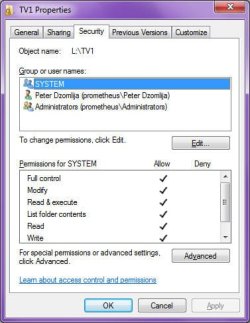
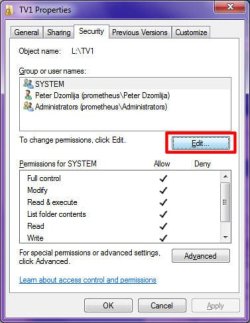
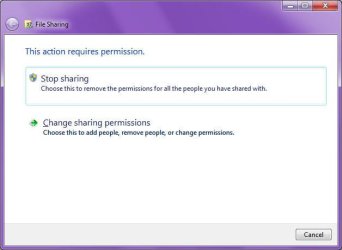
I have gone down the folder permissions route and that shows full access. I keep getting an error message saying that I need the permission from John-PC/John but I am logged in as that with full admin rights!

My System SpecsSystem Spec

22 Nov 2010   #2

Windows 7 Pro X64
Space Coast of Florida


See here: wmpnetwk.exe - What is wmpnetwk.exe?

You could try disabling Windows Media Player Network Sharing Service to see if that frees it up. You can leave it disabled unless you share your WMP library across the network with other computers. I have it disabled on my Win 7 Pro X64 system.
My System SpecsSystem Spec
22 Nov 2010   #3

Microsoft Windows 7 Home Premium 64-bit 7601 Multiprocessor Free Service Pack 1
Cornwall UK


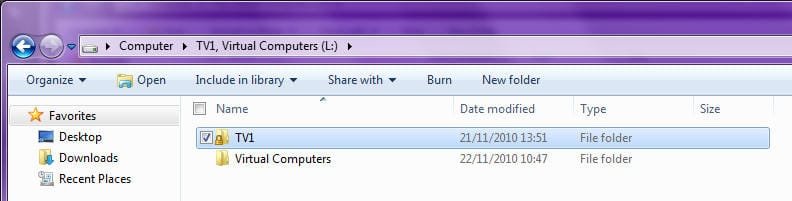
Thank you Rich, I have unlocked my folder now but there is still a lock showing on the icon. Problem remains though i still cannot gain access to new sub folders . I can create them but cannot rename them or ideed put anything in them. Any further thoughts?
My System SpecsSystem Spec
.


22 Nov 2010   #4

Windows 7 x64 pro/ Windows 7 x86 Pro/ XP SP3 x86


Since this is an external hard drive, just take ownership of the entire drive.

Take Ownership Shortcut
My System SpecsSystem Spec
22 Nov 2010   #5

Microsoft Windows 7 Home Premium 64-bit 7601 Multiprocessor Free Service Pack 1
Cornwall UK


Quote   Quote: Originally Posted by Bill2 View Post
Since this is an external hard drive, just take ownership of the entire drive.

Take Ownership Shortcut
Thanks but I have already done that so that the "Take ownership"does not show now when I rt click the drive!
My System SpecsSystem Spec
22 Nov 2010   #6

Windows 7 Ultimate 32bit SP1


My System SpecsSystem Spec
22 Nov 2010   #7

Microsoft Windows 7 Home Premium 64-bit 7601 Multiprocessor Free Service Pack 1
Cornwall UK


Hi Jacee
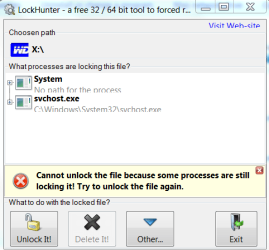
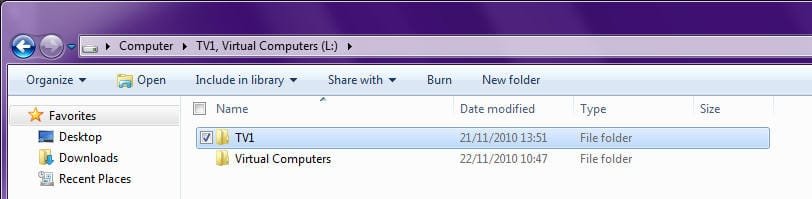
I used UnlockHunter and succeeded in so far as I got the message Folder Unlocked. However when I next checked I get this:
Folder locked by wmpnetwk.exe-capture73.png
My System SpecsSystem Spec
22 Nov 2010   #8
whs

Vista, Windows7, Mint Mate, Zorin, Windows 8
Florida in winter, Black Forest/Germany


I would use the brutal method. Unplug the drive and then replug it.
My System SpecsSystem Spec
22 Nov 2010   #9

Microsoft Windows 7 Home Premium 64-bit 7601 Multiprocessor Free Service Pack 1
Cornwall UK


Girded my loins and tried the "brutal" method to no avail I'm afraid!
Shall now resort to imbibing whisky and seeing what tomorrow may bring!
My System SpecsSystem Spec
22 Nov 2010   #10
whs

Vista, Windows7, Mint Mate, Zorin, Windows 8
Florida in winter, Black Forest/Germany


Did you reboot before you reattached it? Try that.
My System SpecsSystem Spec
Reply

 Folder locked by wmpnetwk.exe problems?


Thread Tools


Similar help and support threads for: Folder locked by wmpnetwk.exe
Thread Forum
DMP folder locked and BSOD etc etc BSOD Help and Support
Locked Folder? General Discussion
Locked out of a user folder System Security
locked minidump folder General Discussion
Folder Locked problem Network & Sharing


All times are GMT -5. The time now is 01:28 AM.


Seven Forums Android App Seven Forums IOS App Follow us on Facebook

Windows 7 Forums is an independent web site and has not been authorized,
sponsored, or otherwise approved by Microsoft Corporation.
"Windows 7" and related materials are trademarks of Microsoft Corp.
© Designer Media Ltd
  

1 2 3 4 5 6 7 8 9 10 11 12 13 14 15 16 17 18 19 20 21 22 23 24 25 26 27 28 29 30 31 32