Hi,
I have read some threads about this but couldn't solve the problem.. Problem is my computer asks for OS to boot every time i start my computer.. And i have only Windows 7 installed on it.. why does it asks for it?? i have been using this computer for about 4 months but facing this problem for just about 1-2 weeks.. the last major change before this problem occured was a video card driver update.. and dont have a recovery point to check if that update caused it or not.
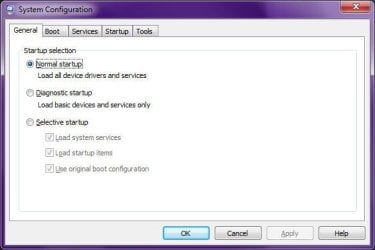
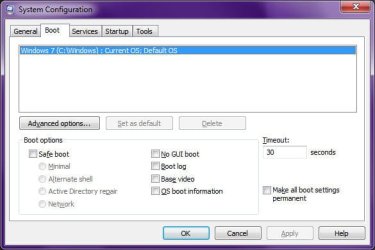
some say " go to msconfig, then boot, then choose the OS u want".. but anyway i have only windows 7 on the list.. and some others say " right click my computer, settings, advanced system settings, boot and recovery settings, choose default OS from dropdown menu " and again i only have windows 7 on the list..
Thanks in advance..
I have read some threads about this but couldn't solve the problem.. Problem is my computer asks for OS to boot every time i start my computer.. And i have only Windows 7 installed on it.. why does it asks for it?? i have been using this computer for about 4 months but facing this problem for just about 1-2 weeks.. the last major change before this problem occured was a video card driver update.. and dont have a recovery point to check if that update caused it or not.
some say " go to msconfig, then boot, then choose the OS u want".. but anyway i have only windows 7 on the list.. and some others say " right click my computer, settings, advanced system settings, boot and recovery settings, choose default OS from dropdown menu " and again i only have windows 7 on the list..
Thanks in advance..
My Computer
At a glance
Windows 7 Basic 32bit
- OS
- Windows 7 Basic 32bit