

Hi everyone,
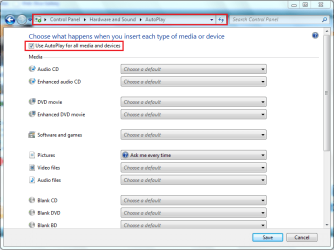
my autoplay function refuses to work despite following instructions in these forums!
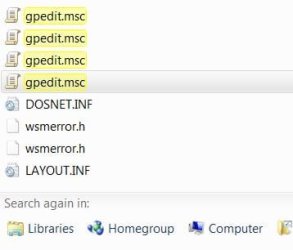
I typed gpedit.msc in the search box as per the instruction all I got was gpedit.msc repeated three times so how am I supposed to then browse to Computer Configuration\ Administrative Templates\ Windows Components\ Autoplay Policies\ Turn off Autoplay.
None of the above works on my machine can anyone help please!
My Computer
At a glance
VISTA HP UPGRADED TO WIN7 HPAND PHENOM II X4 965 BLACK EDITION 3.4 GHZSOC...8GB CORSAIR XMS2 DUAL-DDR2 800MHz - LIFETIME ...1GB NVIDIA GEFORCE 9600GT PCI EXPRESS
- OS
- VISTA HP UPGRADED TO WIN7 HP
- CPU
- AND PHENOM II X4 965 BLACK EDITION 3.4 GHZSOCKET AM3CACHE
- Motherboard
- ASUS® CROSSHAIR II FORMULA: SATA II, 3 x PCI-Ex, 2 x PCI
- Memory
- 8GB CORSAIR XMS2 DUAL-DDR2 800MHz - LIFETIME WARRANTY!
- Graphics Card(s)
- 1GB NVIDIA GEFORCE 9600GT PCI EXPRESS
- Screen Resolution
- SONY TN 1024X768
- Hard Drives
- X2 1TB SERIAL ATA 3-Gb/s HARD DRIVE WITH 16MB CACHE (7,200rpm)
- PSU
- 700W Quiet Quad Rail PSU + 120mm Case Fan
- Other Info
- Power Supply & Case Cooling
22x DUAL LAYER DVD WRITER ±R/±RW/RAM
700W Quiet Quad Rail PSU + 120mm Case Fan



 icnic:
