Windows 7 Service Pack 1
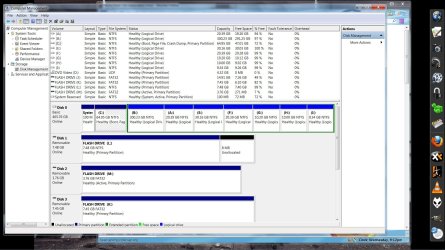
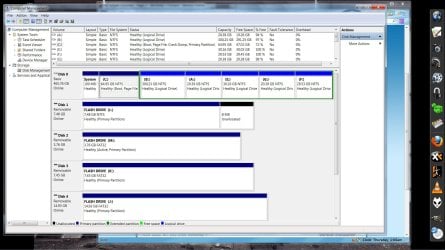
I decided I needed a new partition and have done something that I don't quite understand. The computer still boots up fine and everything seems just as it was, operation wise, but something is not like it was before.
I have a 500GB HD and originally had 3 Primary Partitions.
These were the normal C: drive which I had set to a size of about 50 GB and a B: which was larger at about 400GB for movies and music and a smaller 10GB partition for files and documents.
So, I go to create another small 10GB partition in Computer Management, I right click on the large 400GB partition and select shrink. I shrank it by 10GB and created another partition.
Somehow, and I guess all of you can tell, I am no computer genius; I managed to create the extra needed small 10 GB partition but, I changed all the volumes that were primary partitions into simple volumes in one fell swoop.
Is this a bad thing? What are the advantages/disadvantages to this?
I have no primary partitions at all, just simple volumes.
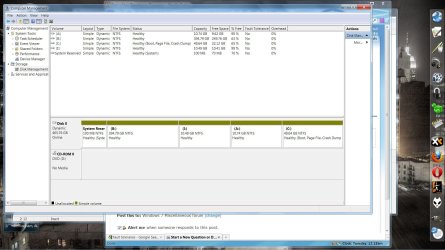
Also, all the flash drives are primary partitions. That seems odd to me but, may not be odd at all because I have no idea what I am talking about.
Is it normal for flash drives to be primary partitions?
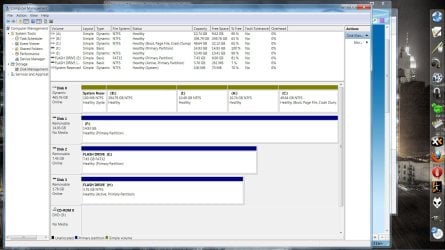
I decided I needed a new partition and have done something that I don't quite understand. The computer still boots up fine and everything seems just as it was, operation wise, but something is not like it was before.
I have a 500GB HD and originally had 3 Primary Partitions.
These were the normal C: drive which I had set to a size of about 50 GB and a B: which was larger at about 400GB for movies and music and a smaller 10GB partition for files and documents.
So, I go to create another small 10GB partition in Computer Management, I right click on the large 400GB partition and select shrink. I shrank it by 10GB and created another partition.
Somehow, and I guess all of you can tell, I am no computer genius; I managed to create the extra needed small 10 GB partition but, I changed all the volumes that were primary partitions into simple volumes in one fell swoop.
Is this a bad thing? What are the advantages/disadvantages to this?
I have no primary partitions at all, just simple volumes.
Is it normal for flash drives to be primary partitions?
Last edited by a moderator:
My Computer
At a glance
Windows 7 (Home Premium) x64Pentium(R) Dual-Core CPU E5300 @ 2.60GHz4.00 GB DDR2 (PC2-6400) @ 400MHz (DDR2 800)Intel(R) G41 Express Chipset
- Computer Manufacturer/Model Number
- Dell 537s
- OS
- Windows 7 (Home Premium) x64
- CPU
- Pentium(R) Dual-Core CPU E5300 @ 2.60GHz
- Motherboard
- Dell OU880P v.AO1
- Memory
- 4.00 GB DDR2 (PC2-6400) @ 400MHz (DDR2 800)
- Graphics Card(s)
- Intel(R) G41 Express Chipset
- Sound Card
- Realtek High Definition Audio
- Monitor(s) Displays
- Dell ST2210 22'' HD
- Screen Resolution
- 1920x1080
- Hard Drives
- Seagate Barracuda 500GB
- Internet Speed
- 20Mbps