dumborambo
New member
- Local time
- 7:57 PM
- Messages
- 19
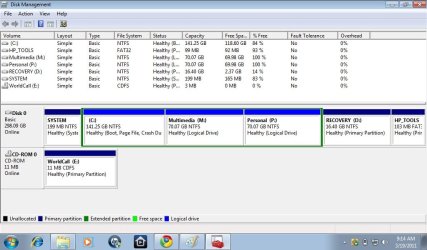
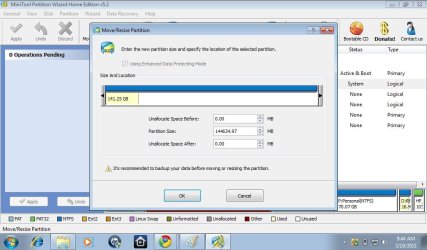
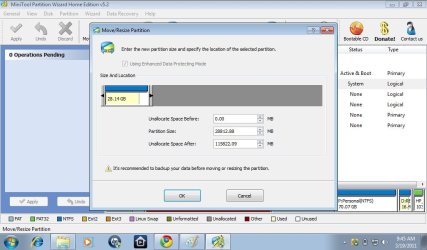
hi i have 320 gb of hard disk, i made partiton earlier out of 320 gb and was able to make a partiton of 100 gb, 40 gb and 80 gb (total 220gb)......but due to some reasons i reset my windows 7 starter to factory settings....how ever now when i try to shrink c drive it only allows me to shrink 140 gb out of 280 gb and rest 140 gb is used up by C drive only. it has 118 GB free but i can not shrink it to make new partitions...what do i do?here is a screen shot of my computer
Attachments
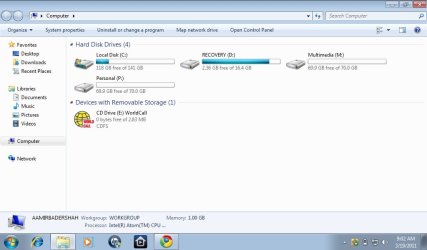
My Computer
At a glance
windows 7 starter 32 bit
- OS
- windows 7 starter 32 bit