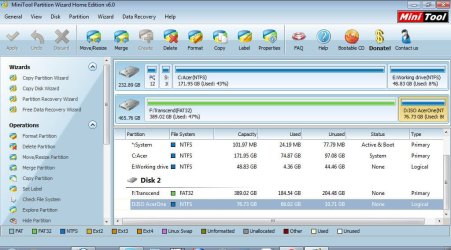
Many forum software products provide a shortcut button to post an image, in one way or another.
(1) My own approach which seems to work for ALL forums (independent of built-in button shortcuts that may or may not also be available) is to first upload the image to a "hosting site", such as
ImageShack® - Online Photo and Video Hosting or similar.
These image uploads may specify a default "resize for 800x600 screen" option, but you can change that. I have "resize for 1024x768" specified when I do an upload, so that the result is clear and visible when the image is shared and seen inside the forum posts into which I've linked that Imageshack-hosted image via its URL.
The image upload to Imageshack provides a URL (http address) for a variety of presentation forms for that image. I copy the "direct URL", so that the image itself... exactly as I uploaded it and possibly resized for nice looking display presentation on a 1024x768 screen... can be inserted instream in a forum post somewhere.
Now... to actually use that Imageshack URL in a forum post (like here), I manually surround the http URL address that I COPY'd from Imageshack's "direct URL" provided to me for the uploaded image, between
which I manually type on a blank line in my forum post, preceded and followed by one blank line.
The result of this is to actually IMBED the image I'm wanting to include INSIDE MY POST, between normal text like I'm typing now, placed between paragraphs or sentences appropriately so that it is readable and visible quite understandably. Text above and below it, and the image in the middle, just like an illustration in a book.
Simply surround the http URL obtained from an image hosting site for the image you've uploaded to that image hosting site between
, and your image will appear just like in illustration, imbedded into a forum post.
This
technique seems to work on 100% of the forums I participate in, even though they may have their own buttons to accomplish a similar result to insert images in your response.
(2) On this forum (and most other forums), there is also a way to post an "attachment"... which can be a JPG and other common (non-dangerous) file type extensions.
At the top row of the composition window for your reply (which I'm typing in right now) on this forum, there are two rows of buttons and other controls for fonts, highlights, indentations, conversion of selected text into active URL links, etc. Well there is a "paperclip" icon which is actually the "attachments" feature.
If you click on the paperclip you'll get a second window, where you'll be allowed to upload an image from your local hard drive and attach it to this post. It will then become available as an "attachment link" at the bottom of the post. The uploaded image is actually hosted by the forum itself, and you can upload multiple attachments.
I normally don't use this approach even if available, because the attachment link(s) get placed at the very bottom of the post and not "imbedded inside of the post", where the actual image would be seen like an illustration.
As attachments, they also may be converted to thumbnail shortcuts possibly and arranged side-by-side at the very bottom of the post so that they can each be clicked on to open in another tab or window of your browser.
Anyway, "attachments" work on this forum. But they don't give me the results I really want... which is to imbed an image in the midst of my text, as an illustration (since a picture's worth 1,000 words). That's why I prefer the
method of imbedding an image uploaded to a secondary image hosting site, pointed to between the
boundaries by its URL.

 .
.