- Local time
- 2:29 AM
- Messages
- 620
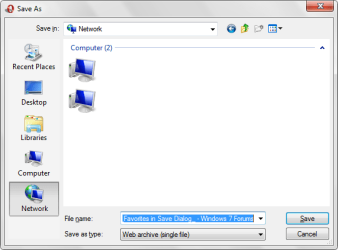
Where do you go to change the common places?
(common places being the five shortcuts that show up on most open/save/save as dialogs)
I looked for them where the XP ones are supposed to be. No go.
Did a quick search for Vista, said it should be under User/Favorites. Went there added one. No go.
So, does anyone know where ms has hidden them this time around?
(common places being the five shortcuts that show up on most open/save/save as dialogs)
I looked for them where the XP ones are supposed to be. No go.
Did a quick search for Vista, said it should be under User/Favorites. Went there added one. No go.
So, does anyone know where ms has hidden them this time around?
My Computer
At a glance
7264x64/7260x86
- OS
- 7264x64/7260x86