Windows 7 Forums


Windows 7: Print without confirm

22 Jun 2011   #1

Windows 7
 
 
Print without confirm

I am setting up printing on our library circulation machine. I want to tweak the printing to eliminate the confirm print box, so we click print and it just prints. We have to print a receipt with every book checked out and this would save us a lot of time. In other words we click print receipt and it just prints to default printer, no box popping up to select printer and click OK. Is this possible? Thank you

My System SpecsSystem Spec

22 Jun 2011   #2

Windows 7 Ultimate x64 + x86 + Windows 8 x64
Newport, South Wales, UK


You have to set a default printer in Windows so the prompt must be being generated from within the application that you are using to check out the books.

It may be possible to remove the prompt by using the set-up for the application concerned, this would depend on the actual application you use.

If this is a bespoke or other specialist application then you would need to contact the developer
My System SpecsSystem Spec
22 Jun 2011   #3

Windows 7


It is already set to default. I am just trying to eliminate the confirm print box
My System SpecsSystem Spec
.


22 Jun 2011   #4

Windows 7 Ultimate x64 + x86 + Windows 8 x64
Newport, South Wales, UK


Which program are you using - is this an office application or a specialised library application.?
My System SpecsSystem Spec
22 Jun 2011   #5

Windows 7


It is for any application I just want to click print and be done with it.
My System SpecsSystem Spec
22 Jun 2011   #6

Windows 7 x64 (SP1)


Its application specific. I know a few application when you print once it won't ask you again if you use "Print" instead "Print Preview" or the like. But this all depends on the application. Windows does not control that portion or printing.
My System SpecsSystem Spec
22 Jun 2011   #7

Windows 7 Ultimate x64 + x86 + Windows 8 x64
Newport, South Wales, UK


As an example of the variations possible Microsoft word 2010 has a "Quick Print" option which may be added to the Quick toolbar or the ribbon which prints to the default printer without a prompt, the default print button produces the print dialogue box.

Other applications may, or may not, provide similar possibilities. for database applications which utilise some form of programming will usually have different print options in the available commands to the programmer
My System SpecsSystem Spec
22 Jun 2011   #8

Windows 7 Pro-x64
South Texas


I think a lot depends on the print driver too. When I print to a HP Inkjet, I always get a pop-up to set various options. You can turn off Preview but the driver always presents the printing options. I haven't found a way to turn it off. When I print to an Epson impact printer that uses a Windows basic default driver, it starts printing right a way--No pop-up, so you better have the paper ready when you click print.
My System SpecsSystem Spec
22 Jun 2011   #9

Windows 7 Ultimate SP1 64-Bit
Peterborough, England


I think it can be done using Javascript or Flash, but don't ask me how as I've no programming skills.

Microsoft Word 2010 has been mentioned so I'm not sure whether you can design a template that uses Word's Quick Print option.
My System SpecsSystem Spec
22 Jun 2011   #10

Windows 7 Ultimate 64bit (Build 7600)
Wales


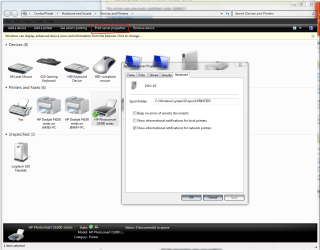
I'm not sure if this option will have any effect but it's maybe worth a try ... soz I haven't tested it myself
Attached Thumbnails
Print without confirm-printer-notification.png  
My System SpecsSystem Spec
Reply

 Print without confirm problems?


Thread Tools


Similar help and support threads for: Print without confirm
Thread Forum
All Print Drivers Disappeared, Print Spooler Quits (7 Pro, 64-bit) Drivers
Have to stop/start Print Spooler to get documents to print? Hardware & Devices
ask me to confirm im an administrator???? General Discussion
Can someone please confirm... BSOD Help and Support
you need to confirm this operation General Discussion


All times are GMT -5. The time now is 04:28 AM.


Seven Forums Android App Seven Forums IOS App Follow us on Facebook

Windows 7 Forums is an independent web site and has not been authorized,
sponsored, or otherwise approved by Microsoft Corporation.
"Windows 7" and related materials are trademarks of Microsoft Corp.
© Designer Media Ltd
  

1 2 3 4 5 6 7 8 9 10 11 12 13 14 15 16 17 18 19 20 21 22 23 24 25 26 27 28 29 30 31 32