Hi Knightron, welcome to the Seven Forums.
This might not be your scenario but worth to check:
Some simple register hacks allow users to remove the shortcut symbol, the small blue arrow (default) at the lower left corner of icon. There are also several tweaking tools that can remove the arrow. Maybe you have removed the shortcut arrows?
When done, when shortcut arrow is removed, it's more difficult to see which icon is a shortcut and which is a program or application. It can cause some confusion, user thinks he/she is deleting a shortcut when instead deleting an application. This is why I personally do not remove shortcut arrows, nor do I recommend it.
Here's what I mean. On top an application icon, under it a shortcut icon to the same application, with distinctive shortcut arrow:

To see the difference when shortcut arrow is removed, you need to check the properties of an icon. Properties of a shortcut have an extra "Shortcut" tab and the type of file is Shortcut:
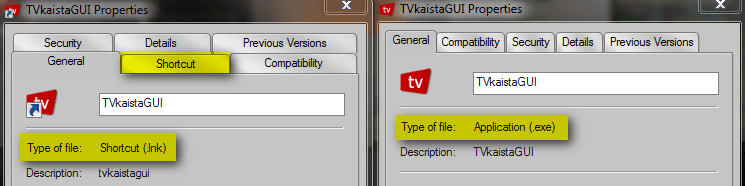
Also, check the text in delete dialog, to see if Windows asks do you want to delete "this file" or "this shortcut":
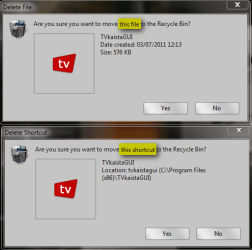
If and when you delete a shortcut, only that shortcut is deleted. The application it's pointing remains.
Kari



