Windows 7 Forums Search
Welcome to Windows 7 Forums. Our forum is dedicated to helping you find solutions with any problems, errors or issues you are experiencing with Windows 7. The Windows 7 forum also covers news and updates and has an extensive Windows 7 tutorial section that covers a wide range of tips and tricks.


Windows 7 - 2 explorer.exe processes running

 
08-17-2011   #1


Windows 7 Ultimate x64 SP1


2 explorer.exe processes running

Hi guys

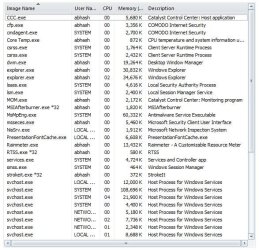
i have got 2 explorer.exe processes running on my system!!!

as far as i can remember it happened after i installed tune up utilities 2011 (but not sure about this)

can it be some kind of virus/malware??
am using MSE and comodo firewall

i have Unchecked “Launch folder windows in a separate process” option

Attached Thumbnails
2 explorer.exe processes running-capture.jpg  
My System SpecsSystem Spec
08-17-2011   #2


Windows 7 Ultimate x64 SP1


Hello Abu,

This is normal. You will have one explorer.exe process by default, and another explorer.exe process for each separate Windows Explorer window you have opened. After you close a explorer window, the process will close as well after a bit.

This is this way so if one explorer window should crash or stop responding, it wouldn't affect the other separate explorer processes.

Hope this helps,
Shawn
My System SpecsSystem Spec
08-17-2011   #3


Windows 7 Ultimate x64 SP1


thanks for the reply shawn

but this is the first time i am seeing 2 explorer.exes running at the same time on my system and also eating away twice the ram

and you are right the 2nd one closes after some time of closing the explorer window

is there a way to stop windows creating 2 processes??
My System SpecsSystem Spec
.


08-17-2011   #4


Windows 7 Ultimate SP1 x64


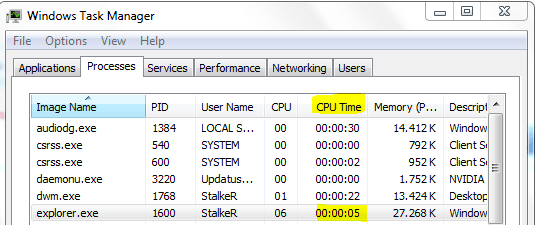
Hello there. This is what I'm doing when I see 2 explorer.exe processes. Open Task Manager and from View menu select Select Columns. There select CPU Time.
Now in Task Manager you'll see one thing more. That CPU Time show you how much time that process is active. So one explorer.exe is the original and it's starting with Windows(it have more time there) and another one should have less.
Highlighted is time that you need to know. This should help you with another processes,not just for explorer.exe
2 explorer.exe processes running-capture.png
My System SpecsSystem Spec
08-17-2011   #5


Windows 7 Ultimate x64 SP1


^^
thanks for the tip


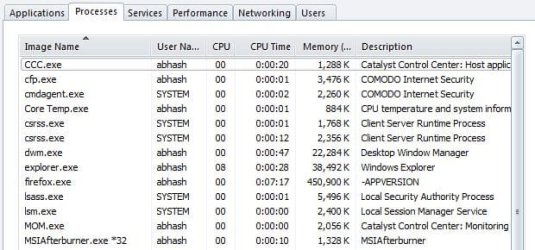
also now when i open diff. explorere windows i see only 1 explorer.exe process!!
Attached Thumbnails
2 explorer.exe processes running-capture.jpg  
My System SpecsSystem Spec
08-17-2011   #6


Windows 7 Ultimate SP1 x64


Yes,I also have the same.
My System SpecsSystem Spec
08-17-2011   #7


Vista and now 7 in 32 and 64 bit.


Maybe it should be pointed out that the entire desktop is on of your Explorer processes. You can see this. Open the taskbar, right clcik the the explorer.exe and END process. Your entire desktop will disappear. DO NOT close the taskbar. Go up to FILE - New task (run) and type in Explorer.exe. Your desktop is back. This is the one, as Brink explained, which runs on startup and by default.
My System SpecsSystem Spec
Reply

 2 explorer.exe processes running problems?


Thread Tools


Similar Threads for: 2 explorer.exe processes running
Thread Forum
what is csrss.exe running in my user processes? General Discussion
16+ svchost.exe processes running Performance & Maintenance
How many processes should ideally be running? Performance & Maintenance
# of processes you have running General Discussion
100+ Explorer.exe Processes Running Crashes and Debugging


All times are GMT -5. The time now is 12:46 AM.


Windows 7 Forums is an independent web site and has not been authorized,
sponsored, or otherwise approved by Microsoft Corporation.
"Windows 7" and related materials are trademarks of Microsoft Corp.
© Designer Media Ltd
  

1 2 3 4 5 6 7 8 9 10 11 12 13 14 15 16 17 18 19 20 21 22 23 24 25 26 27 28 29 30