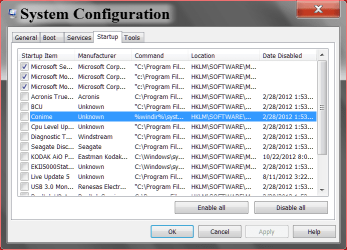
Not sure whats happening..I have a home network set up When I boot up I get a longish black screen then it boots First I get all the icons quickly and then it refreshes seemingly and I get white folders that then get filled in with icons of programs loaded on computer..takes a little while to show second screen..its seems to have become progressively worse over the months..I have many programs. Does the start loaded program make any difference to these screens. Is there more than one start up screen and I am missing how to control this issue...I am only admin no other profiles I think..smile anyone help please
My Computer
At a glance
Windows 7 64 bit
- Computer type
- PC/Desktop
- Computer Manufacturer/Model Number
- Compaq Presario
- OS
- Windows 7 64 bit