
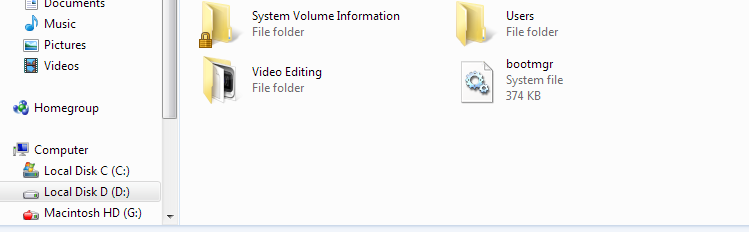
Some of my important system files are no longer hidden and I can't hide them even with the Command Prompt "attrib" command. Files such as bootmgr and ntldr are shown and I can't hide them. Also, show Protected System files is unchecked and show hidden files is also unchecked so they shouldn't be showing. I tried to re-add their system file attribute but I keep getting an "Access Denied" error in CMD and I do not have user account control on and I'm on a Default Administrator Account. Please Help...
Last edited by a moderator:
My Computer
At a glance
Windows 7 Ultimate 32bitIntel Core 2 Quad Q9400 @ 2.67 GHz2GB Kingston HyperX 1066Nvidia 9800GT
- OS
- Windows 7 Ultimate 32bit
- CPU
- Intel Core 2 Quad Q9400 @ 2.67 GHz
- Motherboard
- Gigabyte EP45-UD3L
- Memory
- 2GB Kingston HyperX 1066
- Graphics Card(s)
- Nvidia 9800GT
- Sound Card
- Realtek HD Audio
- Monitor(s) Displays
- AOC 2236 23" 1080p
- Screen Resolution
- 1920 x 1080 @ 59Hz
- Hard Drives
- Western Digital Caviar Blue 320GB
Western Digital Scorpio Blue 160GB
- PSU
- Antec 500W Modular PSU
- Case
- PowerSpec Centurion 5
- Cooling
- Cooler Master Hyper TX3


