Sluggish Task Manager

reiner

New member
Local time
5:43 AM
Messages
9
Location
Philippines
I am new to this forum so i might as well say hello to everyone.

I had a clean install of Windows 7 Ultimate 32-bit on my LG E310 laptop. After installing my frequently used programs and is all set-up, i noticed that my task manager started to become sluggish.

Opening it through CTRL+ALT+DEL or through context menu on the taskbar, it will take quite 3 to 5 secs to load. The supposedly 1second interval refresh speed seems to take more than that (but not painfully long).

My main problem is task manager itself is unresponsive. Hovering the mouse pointer through the processes/services list should highlight what is pointed and should do so as I continue moving the pointer, but is not. Highlighted process, service, even tabs, minimize button, exit button and all other clickables will remain highlited from 3 to 5 seconds even though I already moved the pointer away from them. Also, the services list takes more than a minute to load the list.

In some forums I have read, the fix they were suggesting is to create a new user profile and somewhat "migrating" to that new one. I have followed this step and it fixed the problem but only to my surprise that it went back again just after a reboot.

Anyone who had experienced the same problem please help.
 

My Computer My Computer

At a glance

Windows 7 Ultimate 32-bitIntel Pentium Core 2 Duo4GBNVIDIA GeForce 8200M G
Computer Manufacturer/Model Number
LG E310.C26RE2
OS
Windows 7 Ultimate 32-bit
CPU
Intel Pentium Core 2 Duo
Memory
4GB
Graphics Card(s)
NVIDIA GeForce 8200M G
Monitor(s) Displays
13.3" TFT Glossy
Screen Resolution
1280 x 800 pixels
Hard Drives
250 GB 5400 rpm SATA
I am new to this forum so i might as well say hello to everyone.

I had a clean install of Windows 7 Ultimate 32-bit on my LG E310 laptop. After installing my frequently used programs and is all set-up, i noticed that my task manager started to become sluggish.

Opening it through CTRL+ALT+DEL or through context menu on the taskbar, it will take quite 3 to 5 secs to load. The supposedly 1second interval refresh speed seems to take more than that (but not painfully long).

My main problem is task manager itself is unresponsive. Hovering the mouse pointer through the processes/services list should highlight what is pointed and should do so as I continue moving the pointer, but is not. Highlighted process, service, even tabs, minimize button, exit button and all other clickables will remain highlited from 3 to 5 seconds even though I already moved the pointer away from them. Also, the services list takes more than a minute to load the list.

In some forums I have read, the fix they were suggesting is to create a new user profile and somewhat "migrating" to that new one. I have followed this step and it fixed the problem but only to my surprise that it went back again just after a reboot.

Anyone who had experienced the same problem please help.

Wellcome to SevenForums Reiner,

Please execute following and attach the startup.txt and install.txt files to your next post.
list of STARTUP PROGRAMS
CCleaner | Tools icon | Startup button |
click on Save to text file button (bottom right side)

Attach the startup.txt file generated by CCleaner
CCleaner - Optimization and Cleaning - Free Download

List of INSTALLED PROGRAMS
CCleaner | Tools icon | Uninstall button |
click on Save to text file button (bottom right side)

Attach the install.txt file generated by CCleaner.
CCleaner - Optimization and Cleaning - Free Download

Post a File or Screenshot in Seven Forums
 

My Computer My Computer

At a glance

MS Windows 7 Ultimate SP1 64-bitAMD A10-4600M6.00 GB Dual-Channel DDR3 @ 798MHz (11-11-12-28)AMD Radeon HD 7660G
Computer Manufacturer/Model Number
Toshiba Satellite S875D-S7239 laptop
OS
MS Windows 7 Ultimate SP1 64-bit
CPU
AMD A10-4600M
Motherboard
AMD Pumori (Socket FT1)
Memory
6.00 GB Dual-Channel DDR3 @ 798MHz (11-11-12-28)
Graphics Card(s)
AMD Radeon HD 7660G
Sound Card
High Definition Audio Device
Monitor(s) Displays
Generic PnP Monitor (1600x900@60Hz)
Screen Resolution
1600x900@60Hz
Hard Drives
SSD 119GB Corsair CSSD-V128GB2 ATA Device
Keyboard
Standard PS/2 Keyboard
Mouse
HP Wireless Optical Mobile Mouse Model FHA-3410
Internet Speed
What the local pub, local coffee shop offers.
Other Info
Optical Drive:MATSHITA BD-CMB UJ160B ATA Device


Also have an Asus ha1002xp netbook with Win 7 Ultimate installed.
hi:)

it is worth running System File Checker please see brinks tutorial to help/guide you >>> How to Repair Windows 7 System Files with System File Checker link >>> SFC /SCANNOW Command - System File Checker - Windows 7 Forums

The sfc /scannow command (System File Checker) scans the integrity of all protected Windows 7 system files and replaces incorrect corrupted, changed, or damaged versions with the correct versions if possible.
 

My Computer My Computer

At a glance

Operating System : Windows 7 Home Premium Edi...Processor : Intel Core 2 Quad Q8300 @ 2500 MHzPhysical Memory :8GB Corsair4x 2GB 800MHz C5 ...Video Card : XFX 6700 AMD
Computer Manufacturer/Model Number
packard bell IXTREME M5722
OS
Operating System : Windows 7 Home Premium Edition 6.01.7600 SP1 (x64)
CPU
Processor : Intel Core 2 Quad Q8300 @ 2500 MHz
Motherboard
Mainboard : Packard Bell (Acer EG43M )
Memory
Physical Memory :8GB Corsair4x 2GB 800MHz C5 DDR2
Graphics Card(s)
Video Card : XFX 6700 AMD
Monitor(s) Displays
Maestro 234DL - BenQ V2220 - BenQ VW2420H
Screen Resolution
Current Display :1920x1080p pixels at 60 Hz in HD LED
Hard Drives
Hard Disks : WDC (1000 GB)
Drive C: (Hard Disk) : 428 GB available on 491 GB
Drive D: (Hard Disk) : 426 GB available on 492 GB
SAMSUNG spinpoint HD103SJ 1000.2 GB
(X 2) KINGSTON SSD NOW V 30GB
PSU
XFX ProSeries 550W PSU
Case
PACKARD BELL IXTREME
Cooling
System Blower Current: 150mA Air Flow16CFM ;Akasa 90mm rear
Keyboard
Gigabyte Aivia K8100
Mouse
TRUST-Wireless Laser Mouse - Carbon edition MI-7770C
Internet Speed
TP-LINK > TL-WN951N / AV500 Gigabit Powerline Adapters
Browser
chrome dev
Other Info
EXTRA COOLING>(FAN CONTROLLER) PC Bay Cooler 3 x 40mm fans; Akasa AK-HD-BL Blue hard drive cooler 2 x 40 mm fan 4500 rpm 29.7 dBA
Bios> American Megatrends Inc.
Version : P01-A1
Date : 08/31/2009
@Karlsnooks, I will post those two lists that you need tomorrow as I don't have my laptop here with me at work.

@Brianzion, thanks for the link. Will definitely read and try it.

Thank you both for your replies. :)
 

My Computer My Computer

At a glance

Windows 7 Ultimate 32-bitIntel Pentium Core 2 Duo4GBNVIDIA GeForce 8200M G
Computer Manufacturer/Model Number
LG E310.C26RE2
OS
Windows 7 Ultimate 32-bit
CPU
Intel Pentium Core 2 Duo
Memory
4GB
Graphics Card(s)
NVIDIA GeForce 8200M G
Monitor(s) Displays
13.3" TFT Glossy
Screen Resolution
1280 x 800 pixels
Hard Drives
250 GB 5400 rpm SATA
when you run the system file checker, be sure and tell us if sfc reports that there are no integrity violations.

If SFC indicates anything other than complete success then:
REBOOT
Run SFC again

Repeat that sequence once again.

Now let us know whether SFC is happy or not.
 

My Computer My Computer

At a glance

MS Windows 7 Ultimate SP1 64-bitAMD A10-4600M6.00 GB Dual-Channel DDR3 @ 798MHz (11-11-12-28)AMD Radeon HD 7660G
Computer Manufacturer/Model Number
Toshiba Satellite S875D-S7239 laptop
OS
MS Windows 7 Ultimate SP1 64-bit
CPU
AMD A10-4600M
Motherboard
AMD Pumori (Socket FT1)
Memory
6.00 GB Dual-Channel DDR3 @ 798MHz (11-11-12-28)
Graphics Card(s)
AMD Radeon HD 7660G
Sound Card
High Definition Audio Device
Monitor(s) Displays
Generic PnP Monitor (1600x900@60Hz)
Screen Resolution
1600x900@60Hz
Hard Drives
SSD 119GB Corsair CSSD-V128GB2 ATA Device
Keyboard
Standard PS/2 Keyboard
Mouse
HP Wireless Optical Mobile Mouse Model FHA-3410
Internet Speed
What the local pub, local coffee shop offers.
Other Info
Optical Drive:MATSHITA BD-CMB UJ160B ATA Device


Also have an Asus ha1002xp netbook with Win 7 Ultimate installed.
Hello,

I have followed the instructions as per the link that Brianzion provided. At first completion of SFC, it reported a few integrity problems but were all fixed. I then started running task manager to see if the problem is solved (right click on taskbar, "start task manager") but to my disappointment it is still sluggish as it is before. Good thing I was quite busy also last night updating my graphics drivers etc. so i didn't mind running SFC again. After the second run, it reported that there were no integrity problems whatsoever but task manager still behaves annoyingly.

However, there was an interesting discovery I have made last night. The sluggish task manager only comes up whenever I try to open it through the context menu in the taskbar (right click, "Start Task Manager"). But typing %windir%\System32\taskmgr.exe in run command will open a normal functioning non-sluggish task manager. Even browsing it manually through folders and double clicking the exe file would yield a normal taskman as well. This is why I came to think that the problem lies somewhere within the context menu's shortcut or something similar to that.

After getting all my drivers updated and everything, ran SFC for like 5 times and about to turn my laptop off, I did a final check of the task manager. Surprisingly the sluggishness went away, regardless of the way I try to open it. I don't know what happened but I am just glad it went back normal yet I am still afraid when I get back home later it will be sluggish again.

Any ideas what caused the problem? And what solved it? And what should I do to prevent/fix it from coming back again?

Thank you so much for helping me through this.

PS
I still attached the lists karlsnooks is asking for.

View attachment install.txt

View attachment startup.txt
 

My Computer My Computer

At a glance

Windows 7 Ultimate 32-bitIntel Pentium Core 2 Duo4GBNVIDIA GeForce 8200M G
Computer Manufacturer/Model Number
LG E310.C26RE2
OS
Windows 7 Ultimate 32-bit
CPU
Intel Pentium Core 2 Duo
Memory
4GB
Graphics Card(s)
NVIDIA GeForce 8200M G
Monitor(s) Displays
13.3" TFT Glossy
Screen Resolution
1280 x 800 pixels
Hard Drives
250 GB 5400 rpm SATA
Rebooting after the SFC is always necessary.

And yes, run sfc then reboot sequence is necessary one more time after sfc reports not integrity violations.

Great to hear that your problem is fixed.

I'll forego reading and evaluating the two .txt files since your problem is solved.
 

My Computer My Computer

At a glance

MS Windows 7 Ultimate SP1 64-bitAMD A10-4600M6.00 GB Dual-Channel DDR3 @ 798MHz (11-11-12-28)AMD Radeon HD 7660G
Computer Manufacturer/Model Number
Toshiba Satellite S875D-S7239 laptop
OS
MS Windows 7 Ultimate SP1 64-bit
CPU
AMD A10-4600M
Motherboard
AMD Pumori (Socket FT1)
Memory
6.00 GB Dual-Channel DDR3 @ 798MHz (11-11-12-28)
Graphics Card(s)
AMD Radeon HD 7660G
Sound Card
High Definition Audio Device
Monitor(s) Displays
Generic PnP Monitor (1600x900@60Hz)
Screen Resolution
1600x900@60Hz
Hard Drives
SSD 119GB Corsair CSSD-V128GB2 ATA Device
Keyboard
Standard PS/2 Keyboard
Mouse
HP Wireless Optical Mobile Mouse Model FHA-3410
Internet Speed
What the local pub, local coffee shop offers.
Other Info
Optical Drive:MATSHITA BD-CMB UJ160B ATA Device


Also have an Asus ha1002xp netbook with Win 7 Ultimate installed.
Big thanks, Karlsnooks.

Actually, it went back again. I am like losing hope and patience for the task manager now, I think I'm reverting to process explorer once more. But I would really prefer the windows default task manager as it is faster to open and simpler interface. I love process explorer as well for its extended functionality as compared to task manager, but I find it unnecessary in daily basis.

I hope we can find a solution for this.

Thank you in advance to all.
 

My Computer My Computer

At a glance

Windows 7 Ultimate 32-bitIntel Pentium Core 2 Duo4GBNVIDIA GeForce 8200M G
Computer Manufacturer/Model Number
LG E310.C26RE2
OS
Windows 7 Ultimate 32-bit
CPU
Intel Pentium Core 2 Duo
Memory
4GB
Graphics Card(s)
NVIDIA GeForce 8200M G
Monitor(s) Displays
13.3" TFT Glossy
Screen Resolution
1280 x 800 pixels
Hard Drives
250 GB 5400 rpm SATA
Reiner,
There you get my hopes up and then bash them to the floor.

I'll look at the files afterall and get back.

Did I ask what anti-virus you are using?

I ask because some AVs, firewalls can be very interfering.
 

My Computer My Computer

At a glance

MS Windows 7 Ultimate SP1 64-bitAMD A10-4600M6.00 GB Dual-Channel DDR3 @ 798MHz (11-11-12-28)AMD Radeon HD 7660G
Computer Manufacturer/Model Number
Toshiba Satellite S875D-S7239 laptop
OS
MS Windows 7 Ultimate SP1 64-bit
CPU
AMD A10-4600M
Motherboard
AMD Pumori (Socket FT1)
Memory
6.00 GB Dual-Channel DDR3 @ 798MHz (11-11-12-28)
Graphics Card(s)
AMD Radeon HD 7660G
Sound Card
High Definition Audio Device
Monitor(s) Displays
Generic PnP Monitor (1600x900@60Hz)
Screen Resolution
1600x900@60Hz
Hard Drives
SSD 119GB Corsair CSSD-V128GB2 ATA Device
Keyboard
Standard PS/2 Keyboard
Mouse
HP Wireless Optical Mobile Mouse Model FHA-3410
Internet Speed
What the local pub, local coffee shop offers.
Other Info
Optical Drive:MATSHITA BD-CMB UJ160B ATA Device


Also have an Asus ha1002xp netbook with Win 7 Ultimate installed.
OK.

I already see a major problem.

You have Comodo, you have Bit Defender installed.

Get rid of at least one of these.

Personally, I'd get rid of both. I've experience with both of these especially with Comodo.

I use, I install, I recommend only Microsoft Security Essentials (MSE). Link in my sig.

After removing those two, installing MSE then you should find that Windows Firewall has been turned on for you. And despite all of the dire warnings and fears propagated by the AV companies, MSE and Windows Firewall are a very safe, secure and sound solution which has the least amount of interference with your software.

Let me know what you decide to do. This one matter will probably solve all problems, although i would also make some other recommendations regarding startup programs. Simply dumping those two and using MSE will end all of your problems.
 

My Computer My Computer

At a glance

MS Windows 7 Ultimate SP1 64-bitAMD A10-4600M6.00 GB Dual-Channel DDR3 @ 798MHz (11-11-12-28)AMD Radeon HD 7660G
Computer Manufacturer/Model Number
Toshiba Satellite S875D-S7239 laptop
OS
MS Windows 7 Ultimate SP1 64-bit
CPU
AMD A10-4600M
Motherboard
AMD Pumori (Socket FT1)
Memory
6.00 GB Dual-Channel DDR3 @ 798MHz (11-11-12-28)
Graphics Card(s)
AMD Radeon HD 7660G
Sound Card
High Definition Audio Device
Monitor(s) Displays
Generic PnP Monitor (1600x900@60Hz)
Screen Resolution
1600x900@60Hz
Hard Drives
SSD 119GB Corsair CSSD-V128GB2 ATA Device
Keyboard
Standard PS/2 Keyboard
Mouse
HP Wireless Optical Mobile Mouse Model FHA-3410
Internet Speed
What the local pub, local coffee shop offers.
Other Info
Optical Drive:MATSHITA BD-CMB UJ160B ATA Device


Also have an Asus ha1002xp netbook with Win 7 Ultimate installed.
Not exactly related

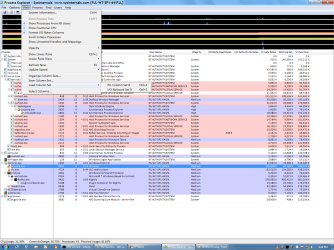
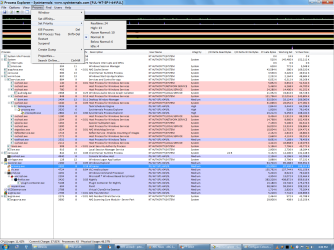
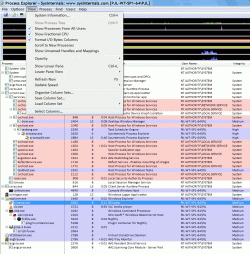
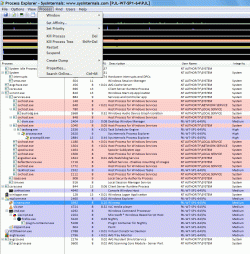
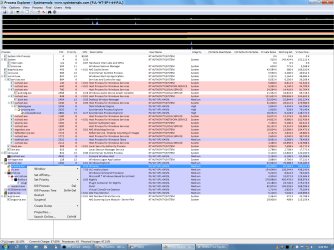
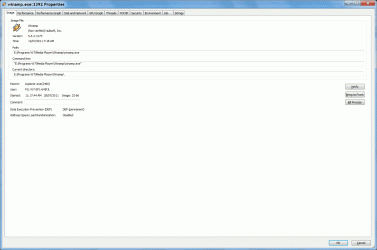
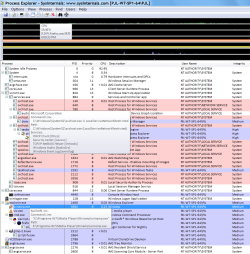
You could also switch to Process Explorer (it's free from MS).
IMO, it is far superior to Task Manager.

Process Explorer 15.04
Process Explorer

Screenshots (some are animated)

Column Sets.png Priority.png

Columns.gif Affinity.gif

Process Context Menu.png Process Information.gif

Tool Tips.png

If you click on the little graphs you get bigger versions.
You can also click on the System Information icon in the toolbar (or Ctrl + I)
 
Last edited:

My Computer My Computer

At a glance

W7 Ultimate SP1, LM19.2 MATE, W10 Home 1703, ...AMD Phenom II x6 1100T, 3.3 GHz12GB DDR3 1333 G-Skill (4GB x 2), G-Skill (2G...NVIDIA GeForce GTX 660
Computer type
PC/Desktop
Computer Manufacturer/Model Number
n/a
OS
W7 Ultimate SP1, LM19.2 MATE, W10 Home 1703, W10 Pro 1703 VM, #All 64 bit
CPU
AMD Phenom II x6 1100T, 3.3 GHz
Motherboard
ASUS M4A88T-M/USB3 (AM3)
Memory
12GB DDR3 1333 G-Skill (4GB x 2), G-Skill (2GB x 2)
Graphics Card(s)
NVIDIA GeForce GTX 660
Sound Card
Realtek?
Monitor(s) Displays
Samsung S23B350
Screen Resolution
1920x1080
Hard Drives
WD Green 2TB (SATA), WD Green 3TB (SATA), WD Blue 4TB (SATA), WD Blue 6TB (SATA)
PSU
Cooler Master
Case
Antec GX300 Tower
Cooling
3x Antec TRICOOL 120mm Fans
Mouse
Wired Optical
Internet Speed
DSL
Antivirus
Avast
Browser
Pale Moon (64 bit)
Other Info
2018-12-27 Upgraded HDDs
2015-12-10 Upgraded case, graphics card, storage
2015-08-15 Upgraded motherboard & RAM
2015-07-15 Upgraded LM17.1 to LM17.2
Karlsnooks,

I have been using comodo and bitdefender for almost 2 years now since my XP and Vista days. Never have I encountered problems like these before. I really appreciate your suggestion of turning to MSE and I would honestly say its a good software (my mother-in-law uses it and i use that PC almost everyday) but comodo + bitdefender combo is really what I prefer. Please do not get me wrong but I am used to their systems already for the past years. Nevertheless, I love those pop-ups and user prompts of those two programs, makes me feel they are really doing their job (I know, its weird as it may seem).

With regards to system resources, I haven't found any problems with those programs. My average CPU usage would play around 0 to 8 when idle (provided that the another annoying service, Search Indexing, is not running full).

I still believe that there can be a fix for this since it wasn't like this before. And like what I have said, the sluggish task manager will open up when I try to open it through context menu on the taskbar.

Without dumping comodo and bitdefender, do you still think this can be fixed?

Thanks for your suggestion and help, Karlsnooks.
 

My Computer My Computer

At a glance

Windows 7 Ultimate 32-bitIntel Pentium Core 2 Duo4GBNVIDIA GeForce 8200M G
Computer Manufacturer/Model Number
LG E310.C26RE2
OS
Windows 7 Ultimate 32-bit
CPU
Intel Pentium Core 2 Duo
Memory
4GB
Graphics Card(s)
NVIDIA GeForce 8200M G
Monitor(s) Displays
13.3" TFT Glossy
Screen Resolution
1280 x 800 pixels
Hard Drives
250 GB 5400 rpm SATA
Try dumping them.
 

My Computer My Computer

At a glance

MS Windows 7 Ultimate SP1 64-bitAMD A10-4600M6.00 GB Dual-Channel DDR3 @ 798MHz (11-11-12-28)AMD Radeon HD 7660G
Computer Manufacturer/Model Number
Toshiba Satellite S875D-S7239 laptop
OS
MS Windows 7 Ultimate SP1 64-bit
CPU
AMD A10-4600M
Motherboard
AMD Pumori (Socket FT1)
Memory
6.00 GB Dual-Channel DDR3 @ 798MHz (11-11-12-28)
Graphics Card(s)
AMD Radeon HD 7660G
Sound Card
High Definition Audio Device
Monitor(s) Displays
Generic PnP Monitor (1600x900@60Hz)
Screen Resolution
1600x900@60Hz
Hard Drives
SSD 119GB Corsair CSSD-V128GB2 ATA Device
Keyboard
Standard PS/2 Keyboard
Mouse
HP Wireless Optical Mobile Mouse Model FHA-3410
Internet Speed
What the local pub, local coffee shop offers.
Other Info
Optical Drive:MATSHITA BD-CMB UJ160B ATA Device


Also have an Asus ha1002xp netbook with Win 7 Ultimate installed.
For dead sure, you don't need both. More is not better when it comes to AV software
 

My Computer My Computer

At a glance

MS Windows 7 Ultimate SP1 64-bitAMD A10-4600M6.00 GB Dual-Channel DDR3 @ 798MHz (11-11-12-28)AMD Radeon HD 7660G
Computer Manufacturer/Model Number
Toshiba Satellite S875D-S7239 laptop
OS
MS Windows 7 Ultimate SP1 64-bit
CPU
AMD A10-4600M
Motherboard
AMD Pumori (Socket FT1)
Memory
6.00 GB Dual-Channel DDR3 @ 798MHz (11-11-12-28)
Graphics Card(s)
AMD Radeon HD 7660G
Sound Card
High Definition Audio Device
Monitor(s) Displays
Generic PnP Monitor (1600x900@60Hz)
Screen Resolution
1600x900@60Hz
Hard Drives
SSD 119GB Corsair CSSD-V128GB2 ATA Device
Keyboard
Standard PS/2 Keyboard
Mouse
HP Wireless Optical Mobile Mouse Model FHA-3410
Internet Speed
What the local pub, local coffee shop offers.
Other Info
Optical Drive:MATSHITA BD-CMB UJ160B ATA Device


Also have an Asus ha1002xp netbook with Win 7 Ultimate installed.
lehnerus2000,

Thank you for the suggestion. I am actually using process explorer since like a year ago up until now. Lightweight and extended functionality really makes that program one of my favorites. But as I have said, these extended functions are unnecessary on a daily basis for me. There are two things about process explorer which makes me prefer the default task manager - (1) it opens up not as instantaneous as task manager does and (2) the interface is more advanced-looking. I would really prefer the default task manager for its simple interface and fast loading response because I seldom use either both of them. The thing that is driving me nuts is the fact that why is my task manager is sluggish when I try to open it through the taskbar's context menu and will function just fine when I try to open the .exe file itself through browsing.
 

My Computer My Computer

At a glance

Windows 7 Ultimate 32-bitIntel Pentium Core 2 Duo4GBNVIDIA GeForce 8200M G
Computer Manufacturer/Model Number
LG E310.C26RE2
OS
Windows 7 Ultimate 32-bit
CPU
Intel Pentium Core 2 Duo
Memory
4GB
Graphics Card(s)
NVIDIA GeForce 8200M G
Monitor(s) Displays
13.3" TFT Glossy
Screen Resolution
1280 x 800 pixels
Hard Drives
250 GB 5400 rpm SATA
Karlsnooks,

Bitdefender = antivirus / antimalware (just AV, firewall, registry protection, script control, etc. are all off)
Comodo = firewall / antimalware (no AV, firewall, sandbox, registry protection, execution control are all on)

This is my set-up. Okay I will really make a decision tonight if I should or should not continue to patronize those two suites.

And what about the startup suggestions you mentioned previously?
 

My Computer My Computer

At a glance

Windows 7 Ultimate 32-bitIntel Pentium Core 2 Duo4GBNVIDIA GeForce 8200M G
Computer Manufacturer/Model Number
LG E310.C26RE2
OS
Windows 7 Ultimate 32-bit
CPU
Intel Pentium Core 2 Duo
Memory
4GB
Graphics Card(s)
NVIDIA GeForce 8200M G
Monitor(s) Displays
13.3" TFT Glossy
Screen Resolution
1280 x 800 pixels
Hard Drives
250 GB 5400 rpm SATA
For the time-being, remove both of those two and use MSE for protection.

You wll always be able to reinstall them later if we find another source of your problem.
 

My Computer My Computer

At a glance

MS Windows 7 Ultimate SP1 64-bitAMD A10-4600M6.00 GB Dual-Channel DDR3 @ 798MHz (11-11-12-28)AMD Radeon HD 7660G
Computer Manufacturer/Model Number
Toshiba Satellite S875D-S7239 laptop
OS
MS Windows 7 Ultimate SP1 64-bit
CPU
AMD A10-4600M
Motherboard
AMD Pumori (Socket FT1)
Memory
6.00 GB Dual-Channel DDR3 @ 798MHz (11-11-12-28)
Graphics Card(s)
AMD Radeon HD 7660G
Sound Card
High Definition Audio Device
Monitor(s) Displays
Generic PnP Monitor (1600x900@60Hz)
Screen Resolution
1600x900@60Hz
Hard Drives
SSD 119GB Corsair CSSD-V128GB2 ATA Device
Keyboard
Standard PS/2 Keyboard
Mouse
HP Wireless Optical Mobile Mouse Model FHA-3410
Internet Speed
What the local pub, local coffee shop offers.
Other Info
Optical Drive:MATSHITA BD-CMB UJ160B ATA Device


Also have an Asus ha1002xp netbook with Win 7 Ultimate installed.
Ok. Will do Karlsnooks. Will update you to what will happen. Cheers! ;)
 

My Computer My Computer

At a glance

Windows 7 Ultimate 32-bitIntel Pentium Core 2 Duo4GBNVIDIA GeForce 8200M G
Computer Manufacturer/Model Number
LG E310.C26RE2
OS
Windows 7 Ultimate 32-bit
CPU
Intel Pentium Core 2 Duo
Memory
4GB
Graphics Card(s)
NVIDIA GeForce 8200M G
Monitor(s) Displays
13.3" TFT Glossy
Screen Resolution
1280 x 800 pixels
Hard Drives
250 GB 5400 rpm SATA
Horses for Courses

lehnerus2000,
...
There are two things about process explorer which makes me prefer the default task manager - (1) it opens up not as instantaneous as task manager does ...

I have set a "Task Scheduler" task that opens Process Explorer (automatically, with Admin privileges) when I login.

... and (2) the interface is more advanced-looking. I would really prefer the default task manager for its simple interface and fast loading response because I seldom use either both of them.

You don't have to have everything turned on.
You could create a simple "Column Set" (and save it) and use it most of the time.

That said, you should use what works best for you. :)
 

My Computer My Computer

At a glance

W7 Ultimate SP1, LM19.2 MATE, W10 Home 1703, ...AMD Phenom II x6 1100T, 3.3 GHz12GB DDR3 1333 G-Skill (4GB x 2), G-Skill (2G...NVIDIA GeForce GTX 660
Computer type
PC/Desktop
Computer Manufacturer/Model Number
n/a
OS
W7 Ultimate SP1, LM19.2 MATE, W10 Home 1703, W10 Pro 1703 VM, #All 64 bit
CPU
AMD Phenom II x6 1100T, 3.3 GHz
Motherboard
ASUS M4A88T-M/USB3 (AM3)
Memory
12GB DDR3 1333 G-Skill (4GB x 2), G-Skill (2GB x 2)
Graphics Card(s)
NVIDIA GeForce GTX 660
Sound Card
Realtek?
Monitor(s) Displays
Samsung S23B350
Screen Resolution
1920x1080
Hard Drives
WD Green 2TB (SATA), WD Green 3TB (SATA), WD Blue 4TB (SATA), WD Blue 6TB (SATA)
PSU
Cooler Master
Case
Antec GX300 Tower
Cooling
3x Antec TRICOOL 120mm Fans
Mouse
Wired Optical
Internet Speed
DSL
Antivirus
Avast
Browser
Pale Moon (64 bit)
Other Info
2018-12-27 Upgraded HDDs
2015-12-10 Upgraded case, graphics card, storage
2015-08-15 Upgraded motherboard & RAM
2015-07-15 Upgraded LM17.1 to LM17.2
Back
Top