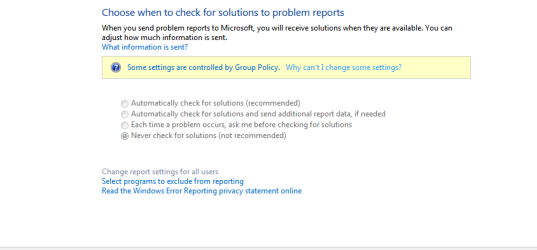
I've seen many posts on how to disable action center and settings but have no help on how to enable it...! I have a Win 7 Ultimate and a couple of months back, my action center got turned off and the ability to change settings was grayed out too!
I checked first if it was an issue with some new program conflict but found none...
I checked the Group policy for clues but apparently many of the settings related to it are in order as far as my extent of its knowledge goes. Also the service related are active like the security module and action reporting service in the services are all in order too !!!
I have MS Essentials installed so i doubt its a problem with the antivirus.
Any help is appreciated.
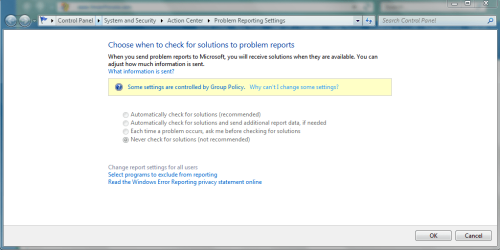
I have uploaded the pic and group policy txt file. Please ask if any additional info is needed.
I checked first if it was an issue with some new program conflict but found none...
I checked the Group policy for clues but apparently many of the settings related to it are in order as far as my extent of its knowledge goes. Also the service related are active like the security module and action reporting service in the services are all in order too !!!
I have MS Essentials installed so i doubt its a problem with the antivirus.
Any help is appreciated.
I have uploaded the pic and group policy txt file. Please ask if any additional info is needed.
Attachments
My Computer
At a glance
Windows 7 Ultimate x64 SP 1Core i3 CPU 530 @2.93 GHz4 gb DDR3512 MB Nvidia Geforce 310
- Computer Manufacturer/Model Number
- Dell Inspiron 580s
- OS
- Windows 7 Ultimate x64 SP 1
- CPU
- Core i3 CPU 530 @2.93 GHz
- Memory
- 4 gb DDR3
- Graphics Card(s)
- 512 MB Nvidia Geforce 310
- Sound Card
- Nvidia/Realtek
- Monitor(s) Displays
- 1
- Hard Drives
- 320 GB