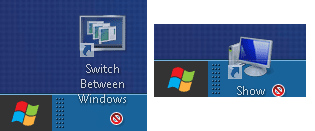
(No 'show desktop' and 'switch screen', unable to drag any icons to quicklaunch bar)
Hello All,
I install and run window developer preview on Seagate FreeAgent Go external HD using window 7 system. However, when adding quicklauch bar by adding new toolbar "%userprofile%\AppData\Roaming\Microsoft\Internet Explorer\Quick Launch" ,there is no 'show desktop' nor 'switch screen' icon occurs.
Likewise, typing the following in notepad without quotation and save in .scf
" [Shell]desktop icon
Command=2
IconFile=explorer.exe,3
[Taskbar]
Command=ToggleDesktop "
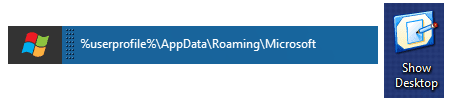
Nonetheless, unable to drag the 'show desktop' icon into the quicklaunch bar (unlocked taskbar) , checking with other icons on the desktop also unable to drag into the quicklaunch area.
How could I attain 'show desktop' and 'switch screen' icons and dragable including with be able to drag other selected icons on the desktop to the quicklaunch area, please ?
Hello All,
I install and run window developer preview on Seagate FreeAgent Go external HD using window 7 system. However, when adding quicklauch bar by adding new toolbar "%userprofile%\AppData\Roaming\Microsoft\Internet Explorer\Quick Launch" ,there is no 'show desktop' nor 'switch screen' icon occurs.
Likewise, typing the following in notepad without quotation and save in .scf
" [Shell]desktop icon
Command=2
IconFile=explorer.exe,3
[Taskbar]
Command=ToggleDesktop "
Nonetheless, unable to drag the 'show desktop' icon into the quicklaunch bar (unlocked taskbar) , checking with other icons on the desktop also unable to drag into the quicklaunch area.
How could I attain 'show desktop' and 'switch screen' icons and dragable including with be able to drag other selected icons on the desktop to the quicklaunch area, please ?
Last edited:
My Computer
At a glance
Windows 7 Ultimate 32 bit , Window 7Intel(R) Core(TM) i5 CPUM 430 @ 2.27GHz, Inte...2.00 GB,NVIDIA GeForce 310M
- Computer type
- PC/Desktop
- Computer Manufacturer/Model Number
- Acer Aspire 4740G , Acer Aspire4930
- OS
- Windows 7 Ultimate 32 bit , Window 7
- CPU
- Intel(R) Core(TM) i5 CPUM 430 @ 2.27GHz, Intel core duo pro
- Motherboard
- Acer Aspire 4740 Acer Aspire4930
- Memory
- 2.00 GB,
- Graphics Card(s)
- NVIDIA GeForce 310M
- Sound Card
- (1) Realtek High Definition Audio (2) NVIDIA High Definiti
- Monitor(s) Displays
- Mobile PC Display
- Screen Resolution
- 1366x768
- Hard Drives
- WDC WD5000BEVT-22A0RT0 ATA Device , 500 GB
- Mouse
- TECFON