
Windows 7 Forums


Windows 7: Desktop icons all generic except COmputer Network Control Panel

29 Oct 2011  
Ztruker

Windows 7 Pro X64
3,616 posts
Space Coast of Florida
 
 
Desktop icons all generic except COmputer Network Control Panel

All the Desktop icons on my Win 7 Pro X64 system have changed to generic icons:

Desktop icons all generic except COmputer Network Control Panel-genericicons.jpg


I've tried all the usual fixes:

1. System Restore to earlier date
2. Delete Iconcache.db
3. Change Icon size then put it back

Any other ideas?

I can do an Acronis restore to yesterday but I would like to fix this without doing that if possible.

My question is, where are the desktop icons displayed from?

This is my entire desktop:
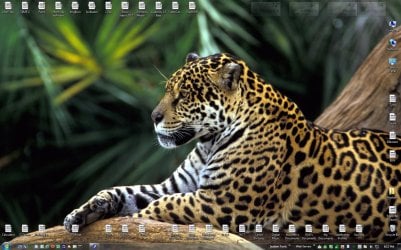
Desktop icons all generic except COmputer Network Control Panel-desktop.jpg
My System SpecsSystem Spec

29 Oct 2011  
Ztruker

Windows 7 Pro X64
3,616 posts
Space Coast of Florida


I ran the LNK.reg fix and the problem is resolved. Very strange. I wish I had taken the time to figure out what was associated with .lnk before fixing it.
My System SpecsSystem Spec
29 Oct 2011  
Brink

64-bit Windows 7 Ultimate SP1 & Windows 8 Enterprise
47,741 posts
Texas


Hello Rich,

It looks as if something had changed the default shortcut arrow overlay icon. This could have happened if the IsShortcut registry entry was deleted in LNK (shortcuts) to try and remove the shortcut arrow using the old now improper XP method.

This also gets reset by the lnk.reg fix to the default shortcut arrow.
My System SpecsSystem Spec
.


30 Oct 2011  
Ztruker

Windows 7 Pro X64
3,616 posts
Space Coast of Florida


That must have been it. Makes you wonder how it gets messed up as I didn't do anything that I'm aware of that could have affected it. No software installation or removal, though I did apply one Windows Update.

I just zapped myself again by applying the Remove_Shortcut_Arrow.reg without copying the Blank.ico to the \Windows directory first (it was already unblocked). Undid it by applying the .lnk fix again then followed the instructions and this time got it right, no more ugly arrows on shortcuts.
My System SpecsSystem Spec
30 Oct 2011  
Brink

64-bit Windows 7 Ultimate SP1 & Windows 8 Enterprise
47,741 posts
Texas


There's no telling what may have caused it, but I'm happy to hear that you got it sorted.
My System SpecsSystem Spec
30 Oct 2011  
xxxdannyxxx

Windows 7 Home Premium x64 SP1
3,248 posts
England


Quote   Quote: Originally Posted by Ztruker View Post
That must have been it. Makes you wonder how it gets messed up as I didn't do anything that I'm aware of that could have affected it. No software installation or removal, though I did apply one Windows Update.

I just zapped myself again by applying the Remove_Shortcut_Arrow.reg without copying the Blank.ico to the \Windows directory first (it was already unblocked). Undid it by applying the .lnk fix again then followed the instructions and this time got it right, no more ugly arrows on shortcuts.
Those last small windows updates (KB2603229) and (KB2607576) messed all my custom icons up also as they placed back the default shell32.dll overwriting my custom ones.
I had to re replace them again to get my icons back.

Danny
My System SpecsSystem Spec
30 Oct 2011  
Bongo

Win 7 Pro x64
9,592 posts
Council Bluffs, Iowa


Quote   Quote: Originally Posted by xxxdannyxxx View Post
Those last small windows updates (KB2603229) and (KB2607576) messed all my custom icons up also as they placed back the default shell32.dll overwriting my custom ones.
I had to re replace them again to get my icons back.

Danny
Me to
My System SpecsSystem Spec
Reply

 Desktop icons all generic except COmputer Network Control Panel problems?


Thread Tools


Similar help and support threads for: Desktop icons all generic except COmputer Network Control Panel
Thread Forum
My computer and Control panel icons doesn't work? General Discussion
Control Panel Icons Have no text Customization
Control Panel Icons Sometimes Go missing General Discussion
Icons Control Panel Customization
Control Panel Icons Customization


All times are GMT -5. The time now is 03:51 AM.


Windows 7 Forums is an independent web site and has not been authorized,
sponsored, or otherwise approved by Microsoft Corporation.
"Windows 7" and related materials are trademarks of Microsoft Corp.
© Designer Media Ltd