System Manufacturer/Model Number HP Pavillion OS Windows 7 Home Premium x64 SP1 CPU Intel Core i5-2400CPU@3/10GHz. Memory 8 Gigs Graphics Card NVIDIA GeForce GT 520 on board Sound Card NVIDIA High Definition Audio Monitor(s) Displays AUSUS
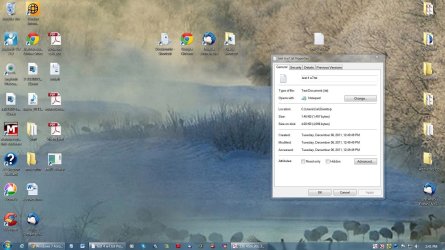
Could you post a screenshot of this just so that we could verify which icon is white blank since there's the main Notepad icon and a shortcut arrow overlay on the icon? If the shortcut arrow overlay is blank, then it could just be almost covering up all of the main icon making it appear to be the Notepad icon when it's really the overlay.
System Manufacturer/Model Number HP Pavillion OS Windows 7 Home Premium x64 SP1 CPU Intel Core i5-2400CPU@3/10GHz. Memory 8 Gigs Graphics Card NVIDIA GeForce GT 520 on board Sound Card NVIDIA High Definition Audio Monitor(s) Displays AUSUS
Blank paper icon has been an on again off again bug on Windows forever. Sometimes if you go into shortcut and do Change Icon, select the exe file, then hit Apply it will show up. I get this using Standalone Stacks. About 1 out of 10 the icon is blank paper. I extract the icon from the exe and stick it in a folder I have for icons. Do change icon, then navigate to the .ico file I made. It's one of those things you're never going to fix it completely.
System Manufacturer/Model Number HP Media Center OS Windows 7 32 bit CPU AMD 5200+ dual core Memory 2 GB Graphics Card NVidia GeForce 6150SE 128 MB Monitor(s) Displays CRT Screen Resolution 1280x1024
Keyboard PS/2 Mouse PS/2 Wheel Mouse Hard Drives 500 GB Sata internal :
SIIG USB 3.0 docking stations w/WD Caviar Black 6 Gb/s drives Other Info SIIG USB 3.0 PCIexpress card.
System Manufacturer/Model Number Hewlett packard/p6512uk OS Microsoft Windows 7 Home Premium 64-bit 7600 CPU IIx4 amd athelon 635 processor Motherboard FOXCONN 2AA9 Memory 2x2gb Graphics Card ati radeon HD 5450 Sound Card (1) Realtek High Definition Audio (2) AMD High Definition Monitor(s) Displays samsung lcd tv 32" Screen Resolution 1360x 768
Keyboard wireless hp Mouse wireless Hp,optical PSU ? Cooling air! Hard Drives (1) WDC WD10 01FAES-60Z2A0 SATA Disk Device (2) Maxtor OneTouch USB Device (3) ST310003 33AS USB Device (4) WD My Book 1111 USB Device Internet Speed 1.10mb/s Antivirus MSE Browser Firefox
System Manufacturer/Model Number HP Pavillion OS Windows 7 Home Premium x64 SP1 CPU Intel Core i5-2400CPU@3/10GHz. Memory 8 Gigs Graphics Card NVIDIA GeForce GT 520 on board Sound Card NVIDIA High Definition Audio Monitor(s) Displays AUSUS
If it is in fact a shortcut. I have solved this by finding the *.exe file in win explorer and creating a new shortcut to the desk top by rightclicking. Once you have the short cut created you can delete the funky one.
System Manufacturer/Model Number BGC (Bob's Garage Crew) OS win 7 X64 Ultimate SP1 CPU I3770K Motherboard Asus P8Z77-V Deluxe Memory G Skill F3-14900CL9-4GBXL x 4 Graphics Card NVIDIA GeForce GTX670 + Intel 4000 Sound Card Realtek HD 5.1 (MOB) Monitor(s) Displays Asus VW224T (1) Screen Resolution 1920 x 1080
Keyboard MS Wireless 3000 V2 Mouse MS Wireless 3000 V2 PSU CoolerMaster 1000 Watt Case CoolerMaster HAF X Cooling CPU -- CoolerMaster 520N Hard Drives SATA Corsair Force GT 2.5" 180GB (System) Sata 3
OCZ Vertex3 120GB
OCZ Vertex 2 120GB 2.5" SATA II
ST31000524AS 1000.2GB
WD15EARS (External) Internet Speed Cable Antivirus Norton Internet Security Browser IE9 Other Info AMI Bios 1805
OC'd 3%
System Manufacturer/Model Number HP Media Center OS Windows 7 32 bit CPU AMD 5200+ dual core Memory 2 GB Graphics Card NVidia GeForce 6150SE 128 MB Monitor(s) Displays CRT Screen Resolution 1280x1024
Keyboard PS/2 Mouse PS/2 Wheel Mouse Hard Drives 500 GB Sata internal :
SIIG USB 3.0 docking stations w/WD Caviar Black 6 Gb/s drives Other Info SIIG USB 3.0 PCIexpress card.
For a .txt file, it's always been the icon in my post above as the default one. If you change the default program for .txt files to be a 3rd party program instead of Notepad, then it might change the icon to be that of the 3rd party program though.