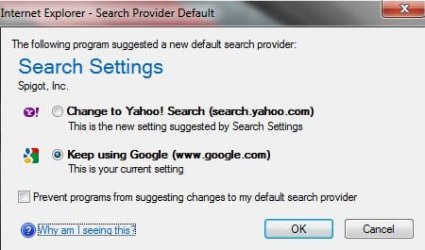
I have found the problem:
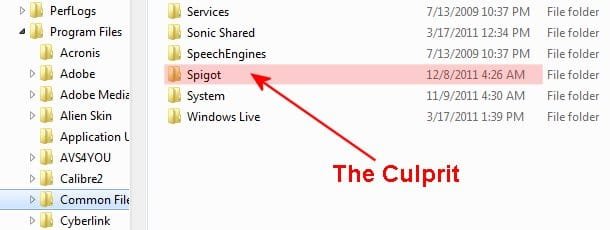
Aliases of Backdoor.Spigot (AKA):
[Kaspersky] Backdoor.G_Spot.20
[McAfee] BackDoor-AAG
[F-Prot] security risk or a "backdoor" program
[Panda] Bck/Spigot.A
[Computer Associates] Win32.Spotbot.20
It is located in C:\Program Files\Common Files. There is NO uninstall file associated with it.
I ran Malwarebytes and it is not considered to malware, it was NOT found. It does not show up in either Program Removal or Revo Uninstaller.
To remove it, my understand requires changing a
registry entry. God I hate making changes to the registry.
Open regedit
To delete each registry key listed in the Registry Keys section, do the following:
Locate the key in the left pane of the Registry Editor window by sequentially expanding the folders according to the path indicated in the Registry Keys section. For example, if the path of a registry key is HKEY_LOCAL_MACHINE\software\FolderA\FolderB\KeyName1, sequentially expand the HKEY_LOCAL_MACHINE, software, FolderA, and FolderB folders.
Select the key name indicated at the end of the path (KeyName1 in the example above).
Right-click the key name and select Delete on the menu.
Click Yes in the Confirm Key Delete dialog box.
delete each registry value listed in the Registry Values section, do the following:
Display the value in the right pane of the Registry Editor window by sequentially expanding the folders in the left pane according to the path indicated in the Registry Values section and selecting the specified key name. For example, if the path of a registry value is HKEY_LOCAL_MACHINE\software\FolderA\FolderB\KeyName2\,valueC=, sequentially expand the HKEY_LOCAL_MACHINE, software, FolderA, and FolderB folders and select the KeyName2 key to display the valueC value in the right pane.
In the right pane, select the value name indicated after a comma at the end of the path (valueC in the example above).
Right-click the value name and select Delete on the menu.
Click Yes in the Confirm Value Delete dialog box.
I really don't want to do this. When I get my nerve worked up I guess I will try it.
Hope this helps someone else.