Windows 7 Forums


Windows 7: Wrong time on clock after windows re-install

14 Jan 2012   #1

Windows 7 64bit
 
 
Wrong time on clock after windows re-install

Following windows updates on Wed my pc wouldn't start any more and I had to factory rset it and lose 14 years od data unless my cloud storage system will work which it wont at the moment.

One problem I have is my windows clock is showing 10 hours ahead and tomorrows date despite being in the correc time zone - gmt - can anyone help please?

My System SpecsSystem Spec

14 Jan 2012   #2

64-bit Windows 7 Ultimate SP1 & Windows 8 Enterprise
Texas


Hello Maverick,

If you manually change the time to be correct, does it stay that way?

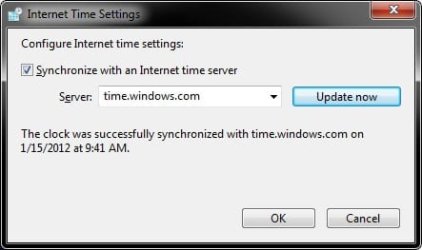
I would also recommend to check what the time is set as in BIOS to see if that may be off, and to synchronize the time in Windows 7.

Hope this helps,
Shawn
My System SpecsSystem Spec
14 Jan 2012   #3

Microsoft Windows 7 Home Premium 64-bits 7601 Multiprocessor Free Service Pack 1
SecretCity


You lost 14 years of data. Why didn't you boot from "recovery environment" or linux live-cd and backupped the data to external disk?
My System SpecsSystem Spec
.


14 Jan 2012   #4

ultimate 64 sp1


if the time won't 'stick', you may have to change your motherboard battery.

don't worry, it's cheap and easy to do.
My System SpecsSystem Spec
14 Jan 2012   #5

Windows 7 64bit


Quote   Quote: Originally Posted by Brink View Post
Hello Maverick,

If you manually change the time to be correct, does it stay that way?

I would also recommend to check what the time is set as in BIOS to see if that may be off, and to synchronize the time in Windows 7.

Hope this helps,
Shawn

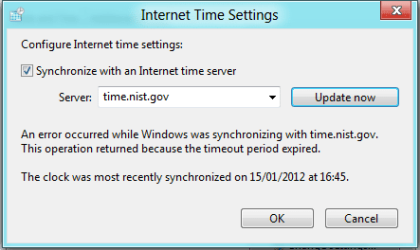
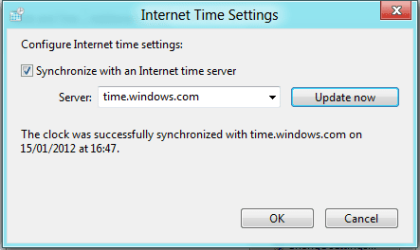
When I try and synchronise with the time servers it says windows was unable to synchorise with the server.
My System SpecsSystem Spec
14 Jan 2012   #6

64-bit Windows 7 Ultimate SP1 & Windows 8 Enterprise
Texas


Maverick,

You will not be be able to synchronize the time since your current time is so far off. You'll have to manually change your time to be correct first, then try synchronizing it to get it more accurate. It's not uncommon to have to try synchronizing it more than once or to change the time server before it works though.

If your time does not stay set correctly afterwards, then check your BIOS time, and you may have to replace your motherboards battery as Mickey posted above.
My System SpecsSystem Spec
14 Jan 2012   #7

Windows 7 64bit


I changed the time to 5 mins from the actual time but still not syncing
My System SpecsSystem Spec
14 Jan 2012   #8

64-bit Windows 7 Ultimate SP1 & Windows 8 Enterprise
Texas


It needs to be manually set to the actual time first mate.
My System SpecsSystem Spec
15 Jan 2012   #9

Windows 7 64bit


Then I'll never know if its actually syncing
My System SpecsSystem Spec
15 Jan 2012   #10

Microsoft Windows 7 Home Premium 64-bits 7601 Multiprocessor Free Service Pack 1
SecretCity


Quote   Quote: Originally Posted by themaverick View Post
I changed the time to 5 mins from the actual time but still not syncing
What time server do you use in control panel time settings? And what happens what you click "update now"? Does it update or gives you an error message (what message?)
My System SpecsSystem Spec
Reply

 Wrong time on clock after windows re-install problems?


Thread Tools


Similar help and support threads for: Wrong time on clock after windows re-install
Thread Forum
Right Place, Wrong Time: 9 Technologies Born Before Their Time Chillout Room
Windows 7 64bit clock/time lag Performance & Maintenance
Wrong clock speed! Hardware & Devices
Clock gains time with synchronized Internet Time set Performance & Maintenance


All times are GMT -5. The time now is 12:49 AM.


Windows 7 Forums is an independent web site and has not been authorized,
sponsored, or otherwise approved by Microsoft Corporation.
"Windows 7" and related materials are trademarks of Microsoft Corp.
© Designer Media Ltd