

noyb
New member
- Local time
- 12:16 PM
- Messages
- 1,040
I see the same problem in another forum ... No answer yet.
I'm thinking this may have something to do with the latest version of W7 rtm x64 from M$.
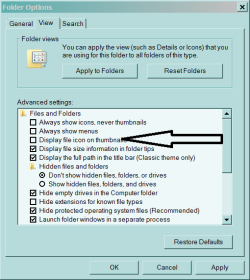
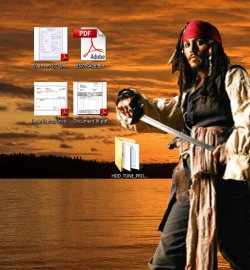
That's about the time I noticed a change in the desktop pdf Thumbnail <> Icon.
What version W7 are you running ???
I'm thinking this may have something to do with the latest version of W7 rtm x64 from M$.
That's about the time I noticed a change in the desktop pdf Thumbnail <> Icon.
What version W7 are you running ???
My Computer
At a glance
XP MCE .... XP Pro 64 .... W7 U x64E6750, 2.67GHz C2D4GB, PC2 6400GeForce 9400GT
- Computer Manufacturer/Model Number
- HP d4996t (upgraded)
- OS
- XP MCE .... XP Pro 64 .... W7 U x64
- CPU
- E6750, 2.67GHz C2D
- Memory
- 4GB, PC2 6400
- Graphics Card(s)
- GeForce 9400GT
- Monitor(s) Displays
- Twin Samsung 2443BWT
- Screen Resolution
- 1920x1200
- Hard Drives
- Many .. 3 Installed
- PSU
- 460W
- Internet Speed
- Cable




 )
)
