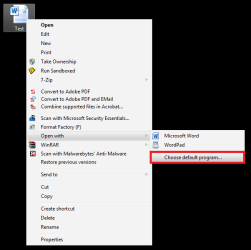
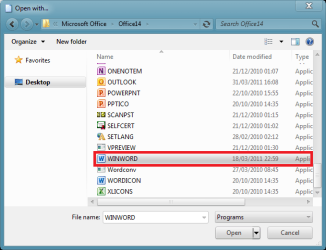
recently upgraded to windows 7 pro and when I download any document when it opens it is in an unreadable script. I can drag it into word and open it but it will only let me see the first page. any Ideas as to what seting i need to change?
My Computer
At a glance
windows 7 pro 64 bit
- OS
- windows 7 pro 64 bit