- Local time
- 3:20 PM
- Messages
- 524
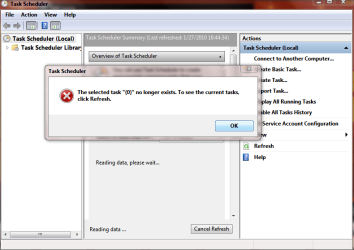
Every time when i click on the TS in the Computer management it instantly
pops up these two messages(added in the attachments)
Its not like i use it but what could cause this?
Note:The task scheduler service is on automatic and started...
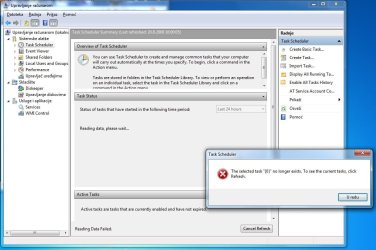

pops up these two messages(added in the attachments)
Its not like i use it but what could cause this?
Note:The task scheduler service is on automatic and started...
Last edited:
My Computer
At a glance
Windows 7 SP1 x64Intel E8400 3.0 GHz4x1 Trascend DDR2 800 MhzGainward 8800GT 512 Mb
- Computer type
- PC/Desktop
- Computer Manufacturer/Model Number
- Custom
- OS
- Windows 7 SP1 x64
- CPU
- Intel E8400 3.0 GHz
- Motherboard
- Gigabyte EP45-DS3R
- Memory
- 4x1 Trascend DDR2 800 Mhz
- Graphics Card(s)
- Gainward 8800GT 512 Mb
- Sound Card
- Realtek HD Audio 889A
- Monitor(s) Displays
- LG L204WS
- Screen Resolution
- 1680x1050
- Hard Drives
- Intel 520 Series 120Gb SSD (System)
Western Digital 6400AAKS 640Gb (Data)
- PSU
- Cooler Master 650W
- Case
- Cooler Master Centurion 532
- Cooling
- 2x 12 cm fans
- Keyboard
- Logitech Wave
- Mouse
- Logitech G5
- Internet Speed
- 10 Mbit Cable Flat
- Antivirus
- NOD32 Smart Security
- Browser
- Google Chrome