My Computer
At a glance
windows 7
- OS
- windows 7


That is weird..."Taskbar Always on Top" has been removed from Windows 7 yet yours still does it...i have even tried restarting with no change
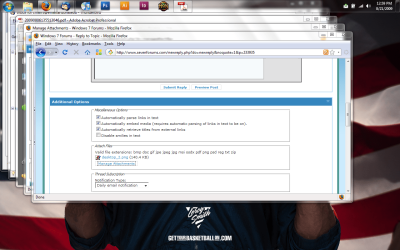
my windows ( all of them ) are maximizing and going behind the taskbar. view attached image. task bar is set to be locked.. etc etc. i just cant figure it out. this just randomly started happening.


Or, you could follow DarkAssain's TRIM'd advice...Move your taskbar to the bottom of the screen. Set taskbar to autohide. Boot. Set taskbar to NOT autohide. Boot. Move your taskbar back to the top.

Or, you could follow DarkAssain's TRIM'd advice.


yesterday noticed that mine was doing the same except my taskbar is at the bottom. so did a quick search on here and found this thread. Odd thing is that today on boot i checked it again just before posting and it was fixed !! v odd hope it dont happen again.

The OP reports that this works:
Move your taskbar to the bottom of the screen. Set taskbar to autohide. Boot.
Set taskbar to NOT autohide. Boot.
Move your taskbar back to the top.
The OP reports that this works:
Move your taskbar to the bottom of the screen. Set taskbar to autohide. Boot.
Set taskbar to NOT autohide. Boot.
Move your taskbar back to the top.