
Hi,
I got a virus yesterday off a dodgy website, in task manager it showed that i had 2 rundll programs open, note pad and a couple of internet explorer pages, i kept trying to close them but i couldn't.
Anyway i scanned using Avast and it said there was no virus etc but i restored my laptop to a couple of days ago.
Now i can't open task manager properly or install a MBAM and the screen is a bit dodgy as well, text boxes in internet dont open properly and text is a bit funny. I can't open these in safe mode either or system restore.
I couldn't even sign up to these forum on my laptop - i couldnt see what i was typing in the text box.
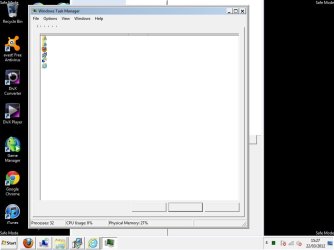
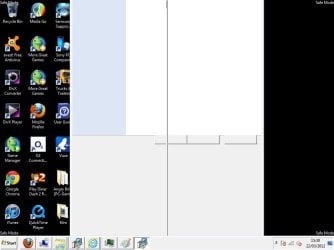
I've attached a screenshot of task manager and when i try to open the MBAM installer.
Any help greatly appreciated.
Thanks
I got a virus yesterday off a dodgy website, in task manager it showed that i had 2 rundll programs open, note pad and a couple of internet explorer pages, i kept trying to close them but i couldn't.
Anyway i scanned using Avast and it said there was no virus etc but i restored my laptop to a couple of days ago.
Now i can't open task manager properly or install a MBAM and the screen is a bit dodgy as well, text boxes in internet dont open properly and text is a bit funny. I can't open these in safe mode either or system restore.
I couldn't even sign up to these forum on my laptop - i couldnt see what i was typing in the text box.
I've attached a screenshot of task manager and when i try to open the MBAM installer.
Any help greatly appreciated.
Thanks
Attachments
My Computer
At a glance
windows 7
- OS
- windows 7


