
I've read the threads on this - reg key edits etc gp msc and the Microsoft solutions - nothing which work.
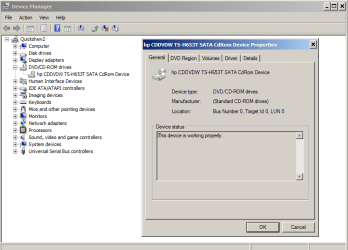
When I insert a disc into any of my 3 CD/DVD drives nothing happens. It will not autoplay.
If I go to My comp it lists the tracks as 1kb tracks and if I click on a track it tries to bring up Itunes but still won't play.
So the CD sees the disc -my comp sees the CDA file (1KB) for each track - but then nothing.
Autorun is checked for all devices and is supposed tp play in VLC mode.
Changed GP MSC to disable - still nothing
When I insert a disc into any of my 3 CD/DVD drives nothing happens. It will not autoplay.
If I go to My comp it lists the tracks as 1kb tracks and if I click on a track it tries to bring up Itunes but still won't play.
So the CD sees the disc -my comp sees the CDA file (1KB) for each track - but then nothing.
Autorun is checked for all devices and is supposed tp play in VLC mode.
Changed GP MSC to disable - still nothing
Last edited:
My Computer
At a glance
Windows 7 32 bit Professional
- OS
- Windows 7 32 bit Professional



 Just in time for the OPs return.
