| Windows 7: Windows Resource Protection found corrupt files but was unable |
02 May 2012
|
#1 | | |
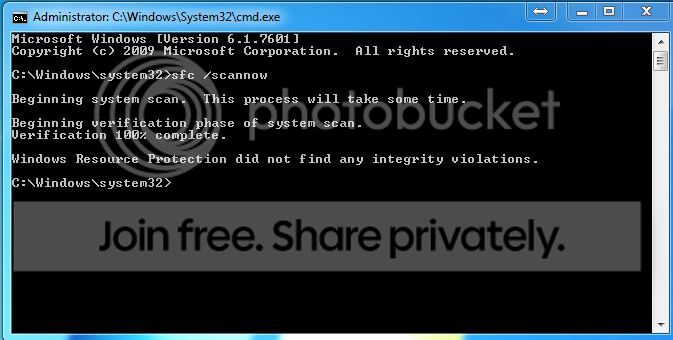
Windows Resource Protection found corrupt files but was unable As instructed in this forum, I even ran SFC /SCANNOW more than three times. Attached is my sfcdetails.txt. What files are possibly corrupted?
By the way, when running sfc /scannow, does it change back to defaults the custom registry settings I modified for my SSD like disable prefetch and superfetch?
It seems that explorer.exe is the unrepairable file, but why? | My System Specs |
| System Manufacturer/Model Number Sager NP8130 OS Windows 7 Ultimate x6 CPU i5 2670QM Memory 2x4GB RAM Kingston HyperX Memory DDR3 1600 MHz Sticks Graphics Card Nvidia GeForce GTX 560M Sound Card Realtek HD Audio (Built-in) Screen Resolution 1920x1080 Hard Drives 128GB Crucial M4 SSD
500GB Seagate 7200RPM HDD Internet Speed 12Mbps down/4Mbps up |
02 May 2012
|
#2 | | |
SFC won't change back the registry settings for your SSD.
It does appear that explorer.exe is the only corrupt file it's finding, but you're saying each time you run SFC it comes up with this error even though it says it's been repaired? | My System Specs | | OS XP / Win7 x64 Pro CPU Intel Quad-Core Q9450 @ 3.2GHz Motherboard Asus P5-E Memory 2x2GB GSkill DDR2 Graphics Card NVIDIA GeForce 8600 GTS (EVGA) Monitor(s) Displays Dell 2408WFP Screen Resolution 1920x1200 |
02 May 2012
|
#3 | | |

Quote: Originally Posted by FliGi7 SFC won't change back the registry settings for your SSD.
It does appear that explorer.exe is the only corrupt file it's finding, but you're saying each time you run SFC it comes up with this error even though it says it's been repaired? No, it's not that. Every time I ran SFC /SCANNOW I receive an error (Windows Resource Protection found corrupt files but was unable to repair them) at the end. I'm reading in this forum that this is a very common problem. | My System Specs | | System Manufacturer/Model Number Sager NP8130 OS Windows 7 Ultimate x6 CPU i5 2670QM Memory 2x4GB RAM Kingston HyperX Memory DDR3 1600 MHz Sticks Graphics Card Nvidia GeForce GTX 560M Sound Card Realtek HD Audio (Built-in) Screen Resolution 1920x1080 Hard Drives 128GB Crucial M4 SSD
500GB Seagate 7200RPM HDD Internet Speed 12Mbps down/4Mbps up |
02 May 2012
|
#4 | | Vista, Windows7, Mint Mate, Zorin, Windows 8 Florida in winter, Black Forest/Germany |
The system file checker can only repair those files of which it has a copy in the mirror - and that are only very essential system files.
The next step would be to run a repair/install with the installation disc because the installation disk has a copy of all files that were used for the initial installation.
But even repair/install may not be able to repair all files. E.g. files that came from a later installation of programs it would not know - typically corrupted .dlls that came with programs cannot be repaired. | My System Specs | | System Manufacturer/Model Number HP, Dell, Gateway, Toshiba - 4 laptops and 2 desktops OS Vista, Windows7, Mint Mate, Zorin, Windows 8 CPU from 1.6GHz Duo to i7 Monitor(s) Displays 2x HP w2207 Keyboard with trackball - no mices Mouse Trackball mice Hard Drives 5x HDD, 7x SSD, 12x Externals Internet Speed DSL 6000 |
02 May 2012
|
#5 | | |

Quote: Originally Posted by whs The system file checker can only repair those files of which it has a copy in the mirror - and that are only very essential system files.
The next step would be to run a repair/install with the installation disc because the installation disk has a copy of all files that were used for the initial installation.
But even repair/install may not be able to repair all files. E.g. files that came from a later installation of programs it would not know - typically corrupted .dlls that came with programs cannot be repaired. Ok, I understand but I don't want to do a repair install for some reasons. What I want to know is why my explorer.exe seems to be corrupted? Does it give some information in the sfcdetails.txt? | My System Specs | | System Manufacturer/Model Number Sager NP8130 OS Windows 7 Ultimate x6 CPU i5 2670QM Memory 2x4GB RAM Kingston HyperX Memory DDR3 1600 MHz Sticks Graphics Card Nvidia GeForce GTX 560M Sound Card Realtek HD Audio (Built-in) Screen Resolution 1920x1080 Hard Drives 128GB Crucial M4 SSD
500GB Seagate 7200RPM HDD Internet Speed 12Mbps down/4Mbps up |
02 May 2012
|
#6 | | |
What are those reasons? Do you have third party software installed that modifies themes or other system settings? | My System Specs | | OS XP / Win7 x64 Pro CPU Intel Quad-Core Q9450 @ 3.2GHz Motherboard Asus P5-E Memory 2x2GB GSkill DDR2 Graphics Card NVIDIA GeForce 8600 GTS (EVGA) Monitor(s) Displays Dell 2408WFP Screen Resolution 1920x1200 |
02 May 2012
|
#7 | | Vista, Windows7, Mint Mate, Zorin, Windows 8 Florida in winter, Black Forest/Germany |
The 'why' you will probably never find out. And if you don't want to repair it, there is nothing we can do. | My System Specs | | System Manufacturer/Model Number HP, Dell, Gateway, Toshiba - 4 laptops and 2 desktops OS Vista, Windows7, Mint Mate, Zorin, Windows 8 CPU from 1.6GHz Duo to i7 Monitor(s) Displays 2x HP w2207 Keyboard with trackball - no mices Mouse Trackball mice Hard Drives 5x HDD, 7x SSD, 12x Externals Internet Speed DSL 6000 |
02 May 2012
|
#8 | | |

Quote: Originally Posted by FliGi7 What are those reasons? Do you have third party software installed that modifies themes or other system settings? I don't want the hassle of having to optimize my system again because some settings will be back to their default.
I don't have third party software for installing themes but I do have a theme installed, does that count? | My System Specs | | System Manufacturer/Model Number Sager NP8130 OS Windows 7 Ultimate x6 CPU i5 2670QM Memory 2x4GB RAM Kingston HyperX Memory DDR3 1600 MHz Sticks Graphics Card Nvidia GeForce GTX 560M Sound Card Realtek HD Audio (Built-in) Screen Resolution 1920x1080 Hard Drives 128GB Crucial M4 SSD
500GB Seagate 7200RPM HDD Internet Speed 12Mbps down/4Mbps up |
02 May 2012
|
#9 | | |

Quote: Originally Posted by kevindd992002 
Quote: Originally Posted by FliGi7 What are those reasons? Do you have third party software installed that modifies themes or other system settings? I don't want the hassle of having to optimize my system again because some settings will be back to their default.
I don't have third party software for installing themes but I do have a theme installed, does that count? Well, it sounds like you're either going to have a continued hassle of a corrupted explorer.exe or a one-time hassle of reconfiguring your system settings. To make it easier, you can backup and restore your system settings with the built-in Easy Transfer tool: Windows Easy Transfer - Transfer To & From Computers
A Windows 7 theme installed from Microsoft or from somewhere else? Where did you get the theme that is installed? | My System Specs | | OS XP / Win7 x64 Pro CPU Intel Quad-Core Q9450 @ 3.2GHz Motherboard Asus P5-E Memory 2x2GB GSkill DDR2 Graphics Card NVIDIA GeForce 8600 GTS (EVGA) Monitor(s) Displays Dell 2408WFP Screen Resolution 1920x1200 |
02 May 2012
|
#10 | | |

Quote: Originally Posted by FliGi7 
Quote: Originally Posted by kevindd992002 
Quote: Originally Posted by FliGi7 What are those reasons? Do you have third party software installed that modifies themes or other system settings? I don't want the hassle of having to optimize my system again because some settings will be back to their default.
I don't have third party software for installing themes but I do have a theme installed, does that count? Well, it sounds like you're either going to have a continued hassle of a corrupted explorer.exe or a one-time hassle of reconfiguring your system settings. To make it easier, you can backup and restore your system settings with the built-in Easy Transfer tool: Windows Easy Transfer - Transfer To & From Computers
A Windows 7 theme installed from Microsoft or from somewhere else? Where did you get the theme that is installed? Hmmm, ok. Is it not possible to extract explorer.exe from the installation CD and I'll just copy it over my Windows installation folder?
Here's the them that I just installed yesterday: The ROG Windows 7 Theme - Republic of Gamers | My System Specs | | System Manufacturer/Model Number Sager NP8130 OS Windows 7 Ultimate x6 CPU i5 2670QM Memory 2x4GB RAM Kingston HyperX Memory DDR3 1600 MHz Sticks Graphics Card Nvidia GeForce GTX 560M Sound Card Realtek HD Audio (Built-in) Screen Resolution 1920x1080 Hard Drives 128GB Crucial M4 SSD
500GB Seagate 7200RPM HDD Internet Speed 12Mbps down/4Mbps up Windows Resource Protection found corrupt files but was unable problems? All times are GMT -5. The time now is 09:01 AM. | |