# ************************************************************
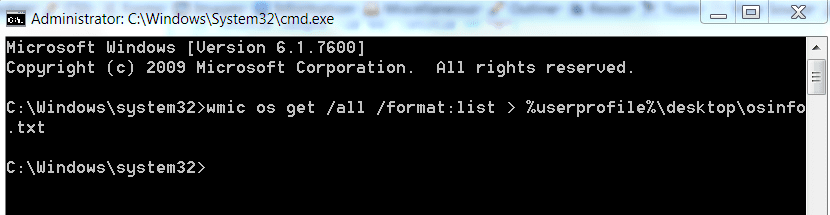
# Puts OSInfo.txt on your desktop.
# OSinfo contains information about your operating system
# **********************INSTRUCTIONS**************************
# STEP 1 *****************************************************
# RUN PowerShell as administrator
# START ORB | type POWERSHELL | CTRL+SHIFT+ENTER key combo | ALT+Y keycombo
# ************************************************************
# STEP 2 *****************************************************
# COPY, using CTRL+C, every line down thru both EXIT statements
# PASTE into Powershell == Right-Click at the PowerShell Prompt
#  (Ctrl+V does not work)
# Start copying with first line without a # at start of the line
# Note: Actually, you can paste the entire file if you rather
#       Lines starting with a # are ignored by PowerShell
# ************************************************************

function get-ID {
  param ([string]$title, [int]$arraycnt, [int]$arrayndx)
  $id = " " + $title + " "
  If ($arraycnt -eq 1) {} else {$id = $id + [string]$arrayndx + " "}
  $id }
function get-title { param ([string]$id)
  $hashes = ([int](44 - $id.length)/2)
  For ($j=0; $j -lt $hashes; $j++){$hashstr += "#"  }
  $title = $hashstr + $id + $hashstr
  If ($title.length -le 44) {$title += "#"}
  $title }
$obj = New-Object PSObject
$os = gwmi win32_operatingsystem
$id = get-id "OS" 1 0
$obj | Add-member -membertype noteproperty -name (Get-Title $id ) -value $sterne
$installdate = $os.converttodatetime($os.installdate)
$obj | Add-Member -MemberType NoteProperty -Name ($id + "Install Date") -Value ($installdate)
$obj | Add-Member -MemberType NoteProperty -Name ($id + "Install Duration (days)") -Value ((new-timespan $installdate).days)
$obj | Add-Member -MemberType NoteProperty -Name ($id + "Last Bootup Time") -Value ($os.converttodatetime($os.lastbootuptime))
$obj | Add-Member -MemberType NoteProperty -Name ($id + "Local Date Time") -Value ($os.converttodatetime($os.localdatetime))
$obj | Add-Member -MemberType NoteProperty -Name ($id + "Status") -Value ($os.status)
$obj | Add-Member -MemberType NoteProperty -Name ($id + "Computer Name") -Value ($os.csname)
$obj | Add-Member -MemberType NoteProperty -Name ($id + "Registered User") -Value ($os.registereduser)
$obj | Add-Member -MemberType NoteProperty -Name ($id + "Number of Licensed Users") -Value ($os.numberoflicensedusers)
$obj | Add-Member -MemberType NoteProperty -Name ($id + "Number of Users") -Value ($os.numberofusers)
$obj | Add-Member -MemberType NoteProperty -Name ($id + "Architecture") -Value ($os.osarchitecture)
$obj | Add-Member -MemberType NoteProperty -Name ($id + "Version Number") -Value ($os.version)
$obj | Add-Member -MemberType NoteProperty -Name ($id + "Name, Drive\Partition") -Value ($os.name)
$obj | Add-Member -MemberType NoteProperty -Name ($id + "Version") -Value ($os.caption)
$obj | Add-Member -MemberType NoteProperty -Name ($id + "Service Pack") -Value ($os.csdversion)
$obj | Add-Member -MemberType NoteProperty -Name ($id + "Windows Directory") -Value ($os.WindowsDirectory)
$obj | Add-Member -MemberType NoteProperty -Name ($id + "System Directory") -Value ($os.systemdirectory)

$obj > $env:userprofile\desktop\OSInfo.txt

EXIT
EXIT

# ***************** NOTE - POWERSHELL VERSION*****************
# if you receive this error msg:
#  Get-WinEvent: The system can not find the path specified
# you need to update your PowerShell
# you must be using Powershell 2.0 or later.
#
# To determine your Powershell version:
#   Run PowerShell
#   enter $host.version
#   you should see at least:
# Major  Minor  Build  Revision
# -----  -----  -----  --------
# 2      0      -1     -1
#
# If you do not see the above, update your Vista/Win 7.
# ************************************************************
# *************** NOTE - EXECUTION POLICY*********************
# If you haven't set the execution policy, you may need to:
#   Run PowerShell
#   enter Set-ExecutionPolicy -executionpolicy remotesigned
#
# ************************************************************

 . I want to know how long people live without format.