
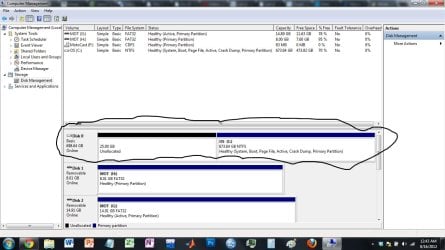
I was just wondering how I can merge my unallocated space on my hard drive to my primary partition. Is there any way I can do this? I've seen some solutions online but I haven't seen anything quite similar to what I have.
I have a screenshot of the situation. Thanks for any help.
I have a screenshot of the situation. Thanks for any help.
Attachments
My Computer
At a glance
Windows 7 Ultimate 64 bit
- OS
- Windows 7 Ultimate 64 bit


