Windows 7 Forums


Windows 7: Windows Explorer - Control Panel and Computer windows empty on opening

20 Aug 2012   #1

Windows 7 Professional x64
 
 
Windows Explorer - Control Panel and Computer windows empty on opening

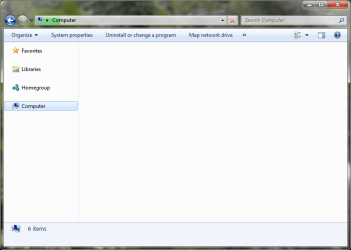
Hi everyone! I am having a problem with Windows Explorer that upon opening the Computer window or the Control Panel, the screen is blank with 4 icons (Favorites, Libraries, Homegroup, and Computer) in the left pane.

Windows gave me a notice about MS SkyDrive was causing a problem, but uninstalling it was of no help. Any suggestions?

PS: Maybe I should remove DreamScene?
UPDATE: DreamScene removed with no change.

Attached Thumbnails
Windows Explorer - Control Panel and Computer windows empty on opening-computer-screen.png  

Last edited by bk4him; 20 Aug 2012 at 10:55 AM..
My System SpecsSystem Spec

20 Aug 2012   #2

Windows 7 Pro X64
Space Coast of Florida


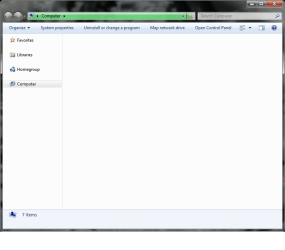
Note the green in the Address bar at the top. Wait for it to complete (goes all the way to the right) then you should see content in the right window.

This happens to me some times as well but I have no idea why.
My System SpecsSystem Spec
20 Aug 2012   #3

Windows 7 Professional x64


Thanks for your reply. Tried that and with no luck as the bar became stuck at the approx. 95% mark and has not moved for at least ten minutes now. However, a small workaround that I have encountered is to press Start+E twice which will bring me to two Computer windows, one which seems to be immune to the problem, the other one with the problem of being blank. This is not an ideal solution though (at least for me).
Attached Thumbnails
Windows Explorer - Control Panel and Computer windows empty on opening-progress-bar.png  
My System SpecsSystem Spec
.


20 Aug 2012   #4

Windows 7 Home Premium 64 bit. SP-1
Northern Ohio


When you removed dream scene it didn't set the file back the way they should be.
This might. sfc /scannow run from the cmd prompt/cmd Run it three times and boot after each. It's Windows 7 way of checking it own files and repairing them if it can.
What you call your Start key is properly called the Windows Flag Key.
My System SpecsSystem Spec
20 Aug 2012   #5

Windows 7 Professional x64


Running first system scan now...
My System SpecsSystem Spec
20 Aug 2012   #6

Windows 7 Professional x64


Windows BlueScreened at the 20% mark of the System File Checker.

Problem signature:
Problem Event Name: BlueScreen
OS Version: 6.1.7601.2.1.0.256.48
Locale ID: 1033
Additional information about the problem:
BCCode: 50
BCP1: FFFFFA804FA65C8A
BCP2: 0000000000000000
BCP3: FFFFF800037E361C
BCP4: 0000000000000005
OS Version: 6_1_7601
Service Pack: 1_0
Product: 256_1
Files that help describe the problem:
C:\Windows\Minidump\082012-31683-01.dmp
C:\Users\USER\AppData\Local\Temp\WER-70200-0.sysdata.xml

I'm attempting the sfc /scannow once more.

My System SpecsSystem Spec
21 Aug 2012   #7

Windows 7 Professional x64


sfc /scannow did not find any errors. Still facing the problem.
My System SpecsSystem Spec
21 Aug 2012   #8

Windows 7 Pro X64
Space Coast of Florida


One possible fix is to do a System Restore to before you installed DreamScene.
My System SpecsSystem Spec
22 Aug 2012   #9

Windows 7 Professional x64


The problem was not caused by DreamScene, nor was it related to DreamScene at all. However, making a new User Account solved the problem, I may just migrate to a new Account.
My System SpecsSystem Spec
22 Aug 2012   #10

Windows 7 Professional x64


I am migrating to a new account. Problem solved!
My System SpecsSystem Spec
Reply

 Windows Explorer - Control Panel and Computer windows empty on opening problems?


Thread Tools


Similar help and support threads for: Windows Explorer - Control Panel and Computer windows empty on opening
Thread Forum
Solved I cannot open my Windows Explorer and Control Panel (Again). General Discussion
Windows explorer and control panel opens, but keep loading General Discussion
Solved Can't open Windows Explorer/Control Panel for domain user General Discussion
Opening up Control Panel crashed Windows Explorer BSOD Help and Support
Windows explorer stops working in control panel General Discussion


All times are GMT -5. The time now is 01:08 PM.


Seven Forums Android App Seven Forums IOS App Follow us on Facebook

Windows 7 Forums is an independent web site and has not been authorized,
sponsored, or otherwise approved by Microsoft Corporation.
"Windows 7" and related materials are trademarks of Microsoft Corp.
© Designer Media Ltd
  

1 2 3 4 5 6 7 8 9 10 11 12 13 14 15 16 17 18 19 20 21 22 23 24 25 26 27 28 29 30 31 32