IMayNeed,
follow this procedure:
PREPARE A UFD/SSD/HDD FOR USE
UFD = USB Flash Device, such as, pen drive, thumb drive, usb stick.
Run CMD.EXE as administrator
[FONT="]Ctrl + Esc | [/FONT][FONT="]type Cmd in the “Search Box’ | do not hit Enter |
right-click on CMD.EXE in the list of Programs[/FONT] | YES button (if asked)
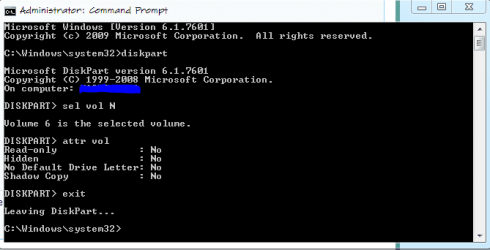
Use DiskPart ----{type commands, follow each by hitting ENTER}
Type DISKPART ------{starts DiskPart; command prompt changes to DISKPART> }[FONT="][/FONT]
[FONT="]Enter following DISKPART commands:[/FONT][FONT="][/FONT]
[FONT="]List disk ----------[/FONT][FONT="]{list number assigned by DiskPart to the drives;
-------------------- note the numeral assigned to your UFD/SSD/HDD}
select disk 1 ------{the numeral 1 will be used in this example}
detail disk --------{info will help verify that you’ve selected the desired disk}
clean all ----------{write zeroes to all bytes of selected disk; depending upon [/FONT]
[FONT="]-------------------- capacity and device speed, this can take awhile.[/FONT]
[FONT="]-------------------- Any bad sectors will be so marked and avoided.[/FONT]
[FONT="]-------------------- Wait for the DiskPart prompt to appear again.[/FONT]
[FONT="]-------------------- The DiskPart> prompt will eventually appear.[/FONT]
[FONT="]OR--OR--OR--OR[/FONT][FONT="][/FONT]
[FONT="]clean --------------{[/FONT][FONT="]zeroes only first and last sectors to zero out boot info;[/FONT]
[FONT="]-------------------- This is much quicker and suffices for most cases. }
[/FONT][FONT="]create partition primary -[/FONT][FONT="]{create a primary partition in the selected disk}
select partition 1 -------{select the partition you just created}
active -------------------{mark the partition as Active}
format fs=ntfs quick -----{format the partition as ntfs}
assign -------------------{assign next available drive letter to the volume}
exit ---------------------{exit DISKPART and return to the command-shell prompt}[/FONT][FONT="][/FONT]
[FONT="]exit ---------------------[/FONT][FONT="]{exit the command shell }[/FONT]