rllavane
New member
Hello all of you at the Forum.
This is my first time here, so I apologize if I am not such an Windows expert.:shock:
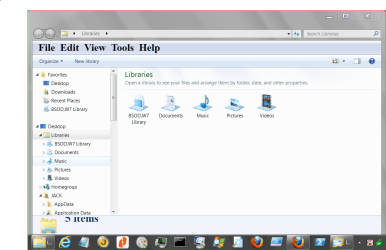
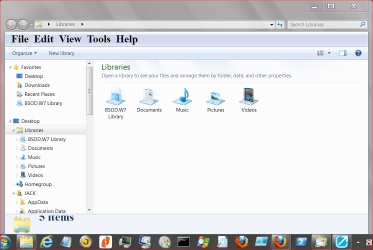
Today I open the Windows Explores and it seemed to be working perfectly until I tried to search a file.:huh:
I picked the directory to search for and as I wrote the name, the Windows Explorer the color on the screen became whiter and the little circle stood there and the search did not even began!! :shock:
I tried several times and nothing changed. So I went over the Microsoft Home Page and look for the tools. Nothing seemed to work.
I tried the MSCONFIG, on the General Tab picked Selective Initiate (sorry I translated from Spanish!!), deactivated the Load Initiate Elements (once again, traslated from Spanish); then went to the Services Tab and Disabled all the services. Reinitiated the PC and It did not work: the Explorer worked but when I asked for SEARCH, hanged!
What can I do?
I recently installed a software name ABBY FINE READER and the rest is the same.
I would like some help from you.
Thanks,
RLLAVANE
This is my first time here, so I apologize if I am not such an Windows expert.:shock:
Today I open the Windows Explores and it seemed to be working perfectly until I tried to search a file.:huh:
I picked the directory to search for and as I wrote the name, the Windows Explorer the color on the screen became whiter and the little circle stood there and the search did not even began!! :shock:
I tried several times and nothing changed. So I went over the Microsoft Home Page and look for the tools. Nothing seemed to work.
I tried the MSCONFIG, on the General Tab picked Selective Initiate (sorry I translated from Spanish!!), deactivated the Load Initiate Elements (once again, traslated from Spanish); then went to the Services Tab and Disabled all the services. Reinitiated the PC and It did not work: the Explorer worked but when I asked for SEARCH, hanged!
What can I do?
I recently installed a software name ABBY FINE READER and the rest is the same.
I would like some help from you.
Thanks,
RLLAVANE
My Computer
At a glance
Windows 7 Home Premium 32 bit
- OS
- Windows 7 Home Premium 32 bit