| Windows 7: need help in tracking a media playing issue |
18 Mar 2013
|
#1 | | Windows 7 Professional (64bit) |
need help in tracking a media playing issue technically lve asked this before, the problem revolves around the fact that on some mkv files directly after rebooting/starting my system the whole computer will freeze for a few seconds.
now the strange part is this only happens once and only directly after starting windows, now generally l play most through media player classic however it does affect media player itself as well in the same way. the strangest part is like l said it only affects files with the mkv extension.
now lve been wondering if there is a different way to attack the problem, like maybe some way of logging what happens when l get the system freeze, something that will create some sort of crash dump of some sort that could log what happens as the problem is easy to create but hard to pin so it would be easy to run some sort of software prior to creating the issue if there is something out there that could possibly pick up an issue.
on a side note, if anyone is interested l use the cccp codec pack. | My System Specs |
| System Manufacturer/Model Number Custom build OS Windows 7 Professional (64bit) CPU Athlon II X2 250 Motherboard Asus M5A78L-M LX Memory Kingston 8GB (2x4GB) DDR3 1333MHz i5 Memory Kit Non-ECC CL9 Graphics Card Radeon 3000 (on board) Sound Card External Creative Soundblaster Monitor(s) Displays 32" TV Screen Resolution 1360*768 <= well it should be but its being annoying Keyboard Microsoft Curve 2000 v1 Mouse Microsoft Sidewinder PSU Antec TruePower New 650W Modular PSU Case Coolermaster Elite 430 Cooling 5x 120mil 1x 90mil (Arctic freezer pro 7 rev 2 heatsink) Hard Drives 1 OCZ 60GB Agility 3 SSD
2 320GB Maxtor
1 200GB Maxtor
1 500GB Maxtor
1 1TB WD Internet Speed 34Meg |
18 Mar 2013
|
#2 | | Windows 7 Ultimate X64 SP1 Mt. Crumpit/Whoville |
I'm confused as to what your problem is. Does the PC or playing video freeze? Do videos for some reason start playing at startup? Codec packs are sometimes poorly made too. | My System Specs | | Computer type PC/Desktop System Manufacturer/Model Number Home Built Desktop By DataTech OS Windows 7 Ultimate X64 SP1 CPU Intel i5-2550K, Differing ~4.4-4.8GHz No built in GPU Motherboard ASUS P8Z68-V PRO/GEN3 Memory 16GB G.Skill Sniper 2133MHz 4x4GB Graphics Card ASUS ENGTX460 DirectCU/2DI/1GD5 GeForce GTX 460 Sound Card Onboard Realtek 5-1 Monitor(s) Displays Samsung P2570HD Screen Resolution 1920x1080 Keyboard Old, beat-up Dell USB From 10 yrs Ago Mouse Gigabyte m6900 wired PSU Corsair HX650W Case Inwin Dragon Rider Cooling Hyper 212 EVO w/two Noctua fans, push-pull, @1300 RPM Hard Drives Crucial M4 128GB for OS, 750GB Seagate MomentusXT for data, 500GB Seagate Constellation for storage Internet Speed 8-19 Mbs down, 3-4 Mbs up Comcast Cable Antivirus Norton Internet Security Browser IE 9, Opera when needed Other Info 4 case fans, LG BluRay-RE, ASUS DVD-RW, Mr. Fusion power generator with flux capacitor, 1.21 gigawatts. |
18 Mar 2013
|
#3 | | Windows 7 Professional (64bit) |
the whole PC freezes up for a few seconds on generally the first mkv file l open.. after that its fine. and as l said it only affects files with the mkv file extension and it only happens once per boot, once its happened everything seems ok and runs no problem which is why it makes no sense.
that being said some mkvs dont cause issues others do its hard to pinpoint which one will or not. which is why lm hoping there is a way to start some sort of logging going before l attack the issue.. lve spent so much time thinking about what it could be but not actually thinking of a way to monitor the issue rather than just look for a fix.. after all it makes more sense to find out whats happening before l look into messing around with the settings and hoping for the best.
as for the codec pack l use, its the same version l used last year with no problems whatsoever, and as a point of interest generally lm loading Directvobsub/Hailli and ffdshow. | My System Specs | | System Manufacturer/Model Number Custom build OS Windows 7 Professional (64bit) CPU Athlon II X2 250 Motherboard Asus M5A78L-M LX Memory Kingston 8GB (2x4GB) DDR3 1333MHz i5 Memory Kit Non-ECC CL9 Graphics Card Radeon 3000 (on board) Sound Card External Creative Soundblaster Monitor(s) Displays 32" TV Screen Resolution 1360*768 <= well it should be but its being annoying Keyboard Microsoft Curve 2000 v1 Mouse Microsoft Sidewinder PSU Antec TruePower New 650W Modular PSU Case Coolermaster Elite 430 Cooling 5x 120mil 1x 90mil (Arctic freezer pro 7 rev 2 heatsink) Hard Drives 1 OCZ 60GB Agility 3 SSD
2 320GB Maxtor
1 200GB Maxtor
1 500GB Maxtor
1 1TB WD Internet Speed 34Meg |
18 Mar 2013
|
#4 | | Microsoft Windows 7 Home Premium 64-bit 7600 cornwall UK |
i would go with sharks 007 windows codecs also be sure to use the x64 extensions as well.
they have never caused any problems with windows 7 when i used them.
you will also get thumbnails for mkv and avi
if you do try them then you need to remove the current ones.
its worth trying to see if it resolves your issue. | My System Specs | | System Manufacturer/Model Number Hewlett packard/p6512uk OS Microsoft Windows 7 Home Premium 64-bit 7600 CPU IIx4 amd athelon 635 processor Motherboard FOXCONN 2AA9 Memory 2x2gb Graphics Card ati radeon HD 5450 Sound Card (1) Realtek High Definition Audio (2) AMD High Definition Monitor(s) Displays samsung lcd tv 32" Screen Resolution 1360x 768 Keyboard wireless hp Mouse wireless Hp,optical PSU ? Cooling air! Hard Drives (1) WDC WD10 01FAES-60Z2A0 SATA Disk Device (2) Maxtor OneTouch USB Device (3) ST310003 33AS USB Device (4) WD My Book 1111 USB Device Internet Speed 1.10mb/s Antivirus MSE Browser Firefox |
18 Mar 2013
|
#5 | | Windows 7 Ultimate X64 SP1 Mt. Crumpit/Whoville |
You can check Event Viewer to see if there are errors recorded there. Event Viewer - Open and Use in Windows 7
Maybe the mkv files that are freezing are new ones while the one that worked last year are older ones? I use the free VLc Media Player for mkv, no codec pack is needed. The bad part id it won't show thumbnails of the videos if it is set as default for any files it is the default player for. VideoLAN - Official page for VLC media player, the Open Source video framework! | My System Specs | | Computer type PC/Desktop System Manufacturer/Model Number Home Built Desktop By DataTech OS Windows 7 Ultimate X64 SP1 CPU Intel i5-2550K, Differing ~4.4-4.8GHz No built in GPU Motherboard ASUS P8Z68-V PRO/GEN3 Memory 16GB G.Skill Sniper 2133MHz 4x4GB Graphics Card ASUS ENGTX460 DirectCU/2DI/1GD5 GeForce GTX 460 Sound Card Onboard Realtek 5-1 Monitor(s) Displays Samsung P2570HD Screen Resolution 1920x1080 Keyboard Old, beat-up Dell USB From 10 yrs Ago Mouse Gigabyte m6900 wired PSU Corsair HX650W Case Inwin Dragon Rider Cooling Hyper 212 EVO w/two Noctua fans, push-pull, @1300 RPM Hard Drives Crucial M4 128GB for OS, 750GB Seagate MomentusXT for data, 500GB Seagate Constellation for storage Internet Speed 8-19 Mbs down, 3-4 Mbs up Comcast Cable Antivirus Norton Internet Security Browser IE 9, Opera when needed Other Info 4 case fans, LG BluRay-RE, ASUS DVD-RW, Mr. Fusion power generator with flux capacitor, 1.21 gigawatts. |
18 Mar 2013
|
#6 | | Microsoft Windows 7 Home Premium 64-bit 7600 cornwall UK |
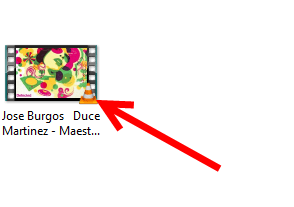
gary, i have icaros installed to show my mkv and avi thumnails, you could give that a go Icaros 2.2.1 Beta 2 - VideoHelp.com Downloads 
the thumbnail above is actually a flv file. so it does those too. | My System Specs | | System Manufacturer/Model Number Hewlett packard/p6512uk OS Microsoft Windows 7 Home Premium 64-bit 7600 CPU IIx4 amd athelon 635 processor Motherboard FOXCONN 2AA9 Memory 2x2gb Graphics Card ati radeon HD 5450 Sound Card (1) Realtek High Definition Audio (2) AMD High Definition Monitor(s) Displays samsung lcd tv 32" Screen Resolution 1360x 768 Keyboard wireless hp Mouse wireless Hp,optical PSU ? Cooling air! Hard Drives (1) WDC WD10 01FAES-60Z2A0 SATA Disk Device (2) Maxtor OneTouch USB Device (3) ST310003 33AS USB Device (4) WD My Book 1111 USB Device Internet Speed 1.10mb/s Antivirus MSE Browser Firefox |
18 Mar 2013
|
#7 | | Windows 7 Ultimate 32bit SP1 |
You may get better information from VEW (event viewer) .... download VEW by Vino Rosso http://images.malwareremoval.com/vino/VEW.exe
and save it to your desktop
Double click it to start it Note: If running Windows Vista or Windows 7 you will need to right click the file and select Run as administrator and click Continue or Allow at the User Account Control Prompt.
Click the check boxes next to Application and System located under Select log to query on the upper left
Under Select type to list on the right click the boxes next to Error and Warning Note: If running Windows Vista or Windows 7 also click the box next to Critical (not XP).
Under Number or date of events select Number of events and type 20 in the box next to 1 to 20 and click Run
Once it finishes it will display a log file in notepad
Please copy and paste its entire contents into your next reply | My System Specs | | System Manufacturer/Model Number Bruce ... somewhere in his 40's OS Windows 7 Ultimate 32bit SP1 CPU Intel(R) Core(TM)2 Quad CPU @ 2.40GHz, 2400 MHz Motherboard INTEL/D975XBX2 Memory 4 GB Graphics Card ATI Radeon HD 2600 Pro Monitor(s) Displays Samsung SyncMaster 914v Screen Resolution 1280 x 1024 Keyboard Standard PS/2 Keyboard Mouse Microsoft PS/2 Mouse PSU Rocketfish 700 W Case G.Skill Gigabyte Chassis Hard Drives 2/500GB each ... ST3500630AS ATA Device.
One is not connected Internet Speed DSL Antivirus Avira Internet Security Browser IE 9 Other Info ATI HDMI Audio |
18 Mar 2013
|
#8 | | Windows 7 Professional (64bit) |
looked further in the logs, now lm speculating here..
last restart showed an error with distributed Com, other than that l dont see the other two having even a remote link to the issue, as volume shadow copying tho l am confused with PxHelp20 causing errors as its supposedly attached to a burning program l dont have installed (unless its part of imgburn). | My System Specs | | System Manufacturer/Model Number Custom build OS Windows 7 Professional (64bit) CPU Athlon II X2 250 Motherboard Asus M5A78L-M LX Memory Kingston 8GB (2x4GB) DDR3 1333MHz i5 Memory Kit Non-ECC CL9 Graphics Card Radeon 3000 (on board) Sound Card External Creative Soundblaster Monitor(s) Displays 32" TV Screen Resolution 1360*768 <= well it should be but its being annoying Keyboard Microsoft Curve 2000 v1 Mouse Microsoft Sidewinder PSU Antec TruePower New 650W Modular PSU Case Coolermaster Elite 430 Cooling 5x 120mil 1x 90mil (Arctic freezer pro 7 rev 2 heatsink) Hard Drives 1 OCZ 60GB Agility 3 SSD
2 320GB Maxtor
1 200GB Maxtor
1 500GB Maxtor
1 1TB WD Internet Speed 34Meg |
18 Mar 2013
|
#9 | | Windows 7 Professional (64bit) |
managed to get VEW running, seems it didnt like my system locale to cheated by running applocale to save me rebooting.
anywho instead of grabbing the last 20 (as l noticed quite a few dns errors in the error logs) l picked the time frame around the time l last rebooted, and the only issues l can really see are along the lines of the above PxHelp20/Dcom that give the general timeframe of my issue, l covered the whole day when l rebooted and the below is all l could come up with.
Vino's Event Viewer v01c run on Windows 2008 in English
Report run at 18/03/2013 19:33:55
Note: All dates below are in the format dd/mm/yyyy
~~~~~~~~~~~~~~~~~~~~~~~~~~~~~~~~~~
'Application' Log - Critical Type
~~~~~~~~~~~~~~~~~~~~~~~~~~~~~~~~~~
~~~~~~~~~~~~~~~~~~~~~~~~~~~~~~~~~~
'Application' Log - Error Type
~~~~~~~~~~~~~~~~~~~~~~~~~~~~~~~~~~
Log: 'Application' Date/Time: 13/03/2013 00:17:35
Type: Error Category: 100
Event: 1000 Source: Application Error
Faulting application name: Probe2.exe, version: 0.1.4.75, time stamp: 0x00000000 Faulting module name: ntdll.dll, version: 6.1.7601.17725, time stamp: 0x4ec49b8f Exception code: 0xc0000005 Fault offset: 0x00033560 Faulting process id: 0xa40 Faulting application start time: 0x01ce1d671f5c32bb Faulting application path: C:\Program Files (x86)\ASUS\PC Probe II\Probe2.exe Faulting module path: C:\Windows\SysWOW64\ntdll.dll Report Id: 677f89cc-8b73-11e2-a14d-5404a6532066
~~~~~~~~~~~~~~~~~~~~~~~~~~~~~~~~~~
'System' Log - Critical Type
~~~~~~~~~~~~~~~~~~~~~~~~~~~~~~~~~~
~~~~~~~~~~~~~~~~~~~~~~~~~~~~~~~~~~
'System' Log - Error Type
~~~~~~~~~~~~~~~~~~~~~~~~~~~~~~~~~~
Log: 'System' Date/Time: 13/03/2013 00:27:04
Type: Error Category: 0
Event: 7026 Source: Service Control Manager
The following boot-start or system-start driver(s) failed to load: PxHelp20
Log: 'System' Date/Time: 13/03/2013 00:26:15
Type: Error Category: 0
Event: 10010 Source: Microsoft-Windows-DistributedCOM
The server {E10F6C3A-F1AE-4ADC-AA9D-2FE65525666E} did not register with DCOM within the required timeout.
Log: 'System' Date/Time: 13/03/2013 00:24:32
Type: Error Category: 0
Event: 36 Source: volsnap
The shadow copies of volume C: were aborted because the shadow copy storage could not grow due to a user imposed limit.
Log: 'System' Date/Time: 13/03/2013 00:19:05
Type: Error Category: 0
Event: 7026 Source: Service Control Manager
The following boot-start or system-start driver(s) failed to load: PxHelp20
Log: 'System' Date/Time: 13/03/2013 00:18:15
Type: Error Category: 0
Event: 10010 Source: Microsoft-Windows-DistributedCOM
The server {E10F6C3A-F1AE-4ADC-AA9D-2FE65525666E} did not register with DCOM within the required timeout. | My System Specs | | System Manufacturer/Model Number Custom build OS Windows 7 Professional (64bit) CPU Athlon II X2 250 Motherboard Asus M5A78L-M LX Memory Kingston 8GB (2x4GB) DDR3 1333MHz i5 Memory Kit Non-ECC CL9 Graphics Card Radeon 3000 (on board) Sound Card External Creative Soundblaster Monitor(s) Displays 32" TV Screen Resolution 1360*768 <= well it should be but its being annoying Keyboard Microsoft Curve 2000 v1 Mouse Microsoft Sidewinder PSU Antec TruePower New 650W Modular PSU Case Coolermaster Elite 430 Cooling 5x 120mil 1x 90mil (Arctic freezer pro 7 rev 2 heatsink) Hard Drives 1 OCZ 60GB Agility 3 SSD
2 320GB Maxtor
1 200GB Maxtor
1 500GB Maxtor
1 1TB WD Internet Speed 34Meg |
18 Mar 2013
|
#10 | | Windows 7 Ultimate X64 SP1 Mt. Crumpit/Whoville |
The Probe2.exe is a part of ASUS Utilities. If you don't need it uninstall it to test. If no change you can reinstall it. | My System Specs | | Computer type PC/Desktop System Manufacturer/Model Number Home Built Desktop By DataTech OS Windows 7 Ultimate X64 SP1 CPU Intel i5-2550K, Differing ~4.4-4.8GHz No built in GPU Motherboard ASUS P8Z68-V PRO/GEN3 Memory 16GB G.Skill Sniper 2133MHz 4x4GB Graphics Card ASUS ENGTX460 DirectCU/2DI/1GD5 GeForce GTX 460 Sound Card Onboard Realtek 5-1 Monitor(s) Displays Samsung P2570HD Screen Resolution 1920x1080 Keyboard Old, beat-up Dell USB From 10 yrs Ago Mouse Gigabyte m6900 wired PSU Corsair HX650W Case Inwin Dragon Rider Cooling Hyper 212 EVO w/two Noctua fans, push-pull, @1300 RPM Hard Drives Crucial M4 128GB for OS, 750GB Seagate MomentusXT for data, 500GB Seagate Constellation for storage Internet Speed 8-19 Mbs down, 3-4 Mbs up Comcast Cable Antivirus Norton Internet Security Browser IE 9, Opera when needed Other Info 4 case fans, LG BluRay-RE, ASUS DVD-RW, Mr. Fusion power generator with flux capacitor, 1.21 gigawatts. need help in tracking a media playing issue problems? All times are GMT -5. The time now is 03:47 AM. | |