Just so there is some history here, you should mention your other thread about creating a one key recovery,
http://www.sevenforums.com/software/293059-how-convert-rar-iso-file-lenovo-okr7-0-engineering-3.html
Or have you abandoned that?
Actually, just re-name the RAR file as an ISO file. Or the reverse. I've done this a million times, they are practically identical, and ISO is an uncompressed RAR file, or, a compressed one, if the ISO image has been compressed to make a Gigabyte of space fit onto a CD image.
that way you can just burn whatever RAR you have after changing the RAR to ISO.
What on earth are you talking about? To start with, ISO is a disk image file and RAR is a compressed "packet" file. They are absolutely not identical. Two totally different things.
Yes, you can change the file extension to ISO and then in some cases "burn" this ISO file to a CD/DVD but as it is not a real ISO disk image file but instead just a file with wrong extension, it's completely useless and unnecessary; if you don't need an ISO disk image but simply copy the RAR file to a CD/DVD, you can leave the extension as it is and copy & paste the file to disk.
I have heard it also before that some users who do not know how to write files to a CD/DVD use this workaround, changing the file extension to ISO and then using burning software to "burn" that so called ISO to disk. But, as I mentioned above, it's so utterly useless method I cannot understand the point of making such statements? Notice also that this unnecessary pointless method does not work with all compressed packets or other file types and that not all ISO burning apps can handle these fake ISOs.
Before any
stupid interesting counter arguments, here's an example: Let's say I have a Windows 8 install media as a compressed RAR packet that contains the original ISO disk image.
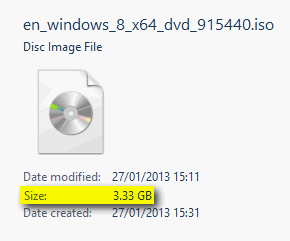
The original bootable ISO image:
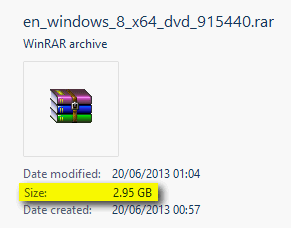
The same compressed to a RAR packet:
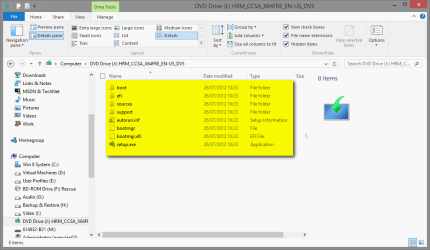
Opening the RAR packet with WinRAR or any other compression app shows the content:

Burning the original ISO disk image to a DVD or mounting it on a virtual CD/DVD drive shows the disk is working and bootable:
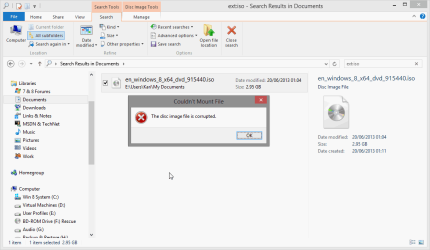
Changing the RAR packet file extension to ISO and trying to burn it to a disk or to mount it to a virtual drive only manages to produce an error message:
Kari



