| Windows 7: Removing 100MB system partition - no re-install needed |
24 Oct 2009
|
| | W7 X-64 RTM,SUSE 11.1, XP PRO SP3 as a VM, VMware ESXi 5,149 posts Hafnarfjörður IS |
Removing 100MB system partition - no re-install needed Hi all.
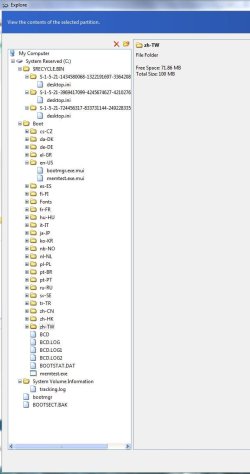
I don't know about you guys but the extra 100 MB system partition that sometimes gets created annoys me -- I like to have my OS installed cleanly on a SINGLE partition - and even when doing a clean install on a new 1TB disk I don't want to assign any more than 50 GB (Max) to the Windows 7 partition so here's how to fix it without doing a re-install.
( I know its only a single small 100MB partition which is nothing on a 1.5TB disk - but it still annoys me - and its easier to backup and deploy images if they are all on a SINGLE partition).
1) Ensure you have a bootable restore version of your backup software and the Windows 7 install DVD -- you'll need that later.
2) Backup your OS with Acronis True Image / Ghost -- Acronis works fine since you can specify the partition size on restore and change the partition type.
3) Delete the OS partition AND the system partition. You can use something like the Windows install disk - but after deleting the partitions don't start the install.
Other partition deletion software such as GPARTED can be used
4) Restore the OS and specify partition size. ALSO CHANGE PARTITION TYPE TO ACTIVE.
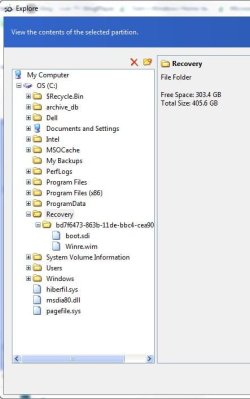
5) Now boot from the Windows Install disk and select REPAIR SYSTEM -- you'll need to do this since the restored OS will be missing BOOTMGR on it.
6) Let repair do its thing
7) Boot into Windows 7 -- now its on a nice single partition.
Cheeers
jimbo | My System Specs |
| System Manufacturer/Model Number Custom built OS W7 X-64 RTM,SUSE 11.1, XP PRO SP3 as a VM, VMware ESXi CPU Q9400 QUAD Motherboard P5QL-CM Memory 8GB Graphics Card On Motherborad Sound Card Realtek HD audio Monitor(s) Displays Apple Cinema display Mouse Toshiba wireless laser Hard Drives 4 X 1TB SATA Internet Speed > 20MB up |
24 Oct 2009
|
| | XP, Seven, 2008R2 1,557 posts |
or you could simply use the bcdboot command to create the boot manager to the Windows drive and set it "active" using the diskpart command. Although that one only works if Windows is on a primary partition.
Good job on the guide though. | My System Specs | | System Manufacturer/Model Number Too many to list. OS XP, Seven, 2008R2 CPU AMD, Intel, VIA Motherboard Various Memory Corsair, Kingston, etc. Graphics Card ATI, NVIDIA Monitor(s) Displays Samsung Keyboard qwerty Hard Drives Maxtor, Western Digital Internet Speed 22 Mb/s @ home, 1 Gb/s @ server Other Info All of my systems still run fastest on XP 32-bit for the most part. Win7 is fun to play with, but I still prefer XP for raw speed, security, and functionality. |
24 Oct 2009
|
| | Windows 7 x64 (SP1) 5,254 posts |
Instead of going though all that...why not setup the drive before installing Windows. No more 100 MB system reserved partition... | My System Specs | | Computer type PC/Desktop System Manufacturer/Model Number Alienware Aurora ALX R4 OS Windows 7 x64 (SP1) CPU Intel Core i7-3930K (3.2GHz, Turbo 4GHz) Motherboard Alienware Aurora-R4 x79 Memory 4x Samsung 4GB PC3-12800 DDR3 (16GB 1600MHz) Graphics Card Nvidia Geforce GTX 690 (Stock) Sound Card RealTek Integrated Audio Monitor(s) Displays Dell UltraSharp U3011 Screen Resolution 2560x1600 PSU 875W Some Dell PSU <.< Hard Drives Samsung P830 256 GB, WD Raptor 150GB, 2x 1TB HDDs Other Info Dell Inspiron Mini 10v (Intel Atom N270 1.6 GHz; 1GB; Windows 7 Ultimate) |
24 Oct 2009
|
| | XP, Seven, 2008R2 1,557 posts |
True, but I'm pretty sure this method is to be used after the fact. | My System Specs | | System Manufacturer/Model Number Too many to list. OS XP, Seven, 2008R2 CPU AMD, Intel, VIA Motherboard Various Memory Corsair, Kingston, etc. Graphics Card ATI, NVIDIA Monitor(s) Displays Samsung Keyboard qwerty Hard Drives Maxtor, Western Digital Internet Speed 22 Mb/s @ home, 1 Gb/s @ server Other Info All of my systems still run fastest on XP 32-bit for the most part. Win7 is fun to play with, but I still prefer XP for raw speed, security, and functionality. |
24 Oct 2009
|
| | W7 X-64 RTM,SUSE 11.1, XP PRO SP3 as a VM, VMware ESXi 5,149 posts Hafnarfjörður IS |

Quote: Originally Posted by logicearth Instead of going though all that...why not setup the drive before installing Windows. No more 100 MB system reserved partition...
Hi there
not very easy if you've got say 500 GB of USER DATA already on the HDD such as Music, Pictures, presentations, spreadsheets, video etc. You don't always have an empty disk to install the OS from or a spare 500 GB HDD to back the stuff up to while doing the Windows 7 install.
(If you've got an empty disk then no problem - my guide was for those cases where you haven't got an empty disk to start with).
Also in order to use the diskpart or bcdboot commands you actually have to have a system to issue these commands from in the first place -- remember the "unrepaired" OS won't boot so you need either the Windows install disk or another OS to boot first.
Cheers
jimbo | My System Specs | | System Manufacturer/Model Number Custom built OS W7 X-64 RTM,SUSE 11.1, XP PRO SP3 as a VM, VMware ESXi CPU Q9400 QUAD Motherboard P5QL-CM Memory 8GB Graphics Card On Motherborad Sound Card Realtek HD audio Monitor(s) Displays Apple Cinema display Mouse Toshiba wireless laser Hard Drives 4 X 1TB SATA Internet Speed > 20MB up |
24 Oct 2009
|
| | Windows 7 x64 (SP1) 5,254 posts |
But you do not need an empty disk...just create the partition before you select which to install Windows on. DISKPART doesn't require the disk to be empty. | My System Specs | | Computer type PC/Desktop System Manufacturer/Model Number Alienware Aurora ALX R4 OS Windows 7 x64 (SP1) CPU Intel Core i7-3930K (3.2GHz, Turbo 4GHz) Motherboard Alienware Aurora-R4 x79 Memory 4x Samsung 4GB PC3-12800 DDR3 (16GB 1600MHz) Graphics Card Nvidia Geforce GTX 690 (Stock) Sound Card RealTek Integrated Audio Monitor(s) Displays Dell UltraSharp U3011 Screen Resolution 2560x1600 PSU 875W Some Dell PSU <.< Hard Drives Samsung P830 256 GB, WD Raptor 150GB, 2x 1TB HDDs Other Info Dell Inspiron Mini 10v (Intel Atom N270 1.6 GHz; 1GB; Windows 7 Ultimate) |
24 Oct 2009
|
| | W7 X-64 RTM,SUSE 11.1, XP PRO SP3 as a VM, VMware ESXi 5,149 posts Hafnarfjörður IS |

Quote: Originally Posted by logicearth But you do not need an empty disk...just create the partition before you select which to install Windows on. DISKPART doesn't require the disk to be empty. Hi there
if the disk is not empty such as in the case outlined above where you already have a DATA partition then even if you create another primary partition - you'll find Windows 7 creates a 100MB system partition when it installs.
(I've done this enough times - if you don't get a 100MB partition then you are lucky).
You won't see it in Windows explorer but go into control panel==>administrative tools==>computer management==>disk management where if it exists you'll see it.
cheers
jimbo | My System Specs | | System Manufacturer/Model Number Custom built OS W7 X-64 RTM,SUSE 11.1, XP PRO SP3 as a VM, VMware ESXi CPU Q9400 QUAD Motherboard P5QL-CM Memory 8GB Graphics Card On Motherborad Sound Card Realtek HD audio Monitor(s) Displays Apple Cinema display Mouse Toshiba wireless laser Hard Drives 4 X 1TB SATA Internet Speed > 20MB up |
24 Oct 2009
|
| | Windows 7 x64 (SP1) 5,254 posts |
Create the partition though diskpart (SHIFT + F10 durning installation). do this before getting to the drive selection. | My System Specs | | Computer type PC/Desktop System Manufacturer/Model Number Alienware Aurora ALX R4 OS Windows 7 x64 (SP1) CPU Intel Core i7-3930K (3.2GHz, Turbo 4GHz) Motherboard Alienware Aurora-R4 x79 Memory 4x Samsung 4GB PC3-12800 DDR3 (16GB 1600MHz) Graphics Card Nvidia Geforce GTX 690 (Stock) Sound Card RealTek Integrated Audio Monitor(s) Displays Dell UltraSharp U3011 Screen Resolution 2560x1600 PSU 875W Some Dell PSU <.< Hard Drives Samsung P830 256 GB, WD Raptor 150GB, 2x 1TB HDDs Other Info Dell Inspiron Mini 10v (Intel Atom N270 1.6 GHz; 1GB; Windows 7 Ultimate) |
24 Oct 2009
|
| | W7 X-64 RTM,SUSE 11.1, XP PRO SP3 as a VM, VMware ESXi 5,149 posts Hafnarfjörður IS |

Quote: Originally Posted by logicearth Create the partition though diskpart (SHIFT + F10 durning installation). do this before getting to the drive selection.
This will install of course on the partition -- BUT you'll STILL get a system 100MB partition in a number of cases.
Also if you HAVE a 100MB partition then all I'm saying is how to get rid of it. If you can avoid creating one in the first place then of course its better.
Cheers
jimbo | My System Specs | | System Manufacturer/Model Number Custom built OS W7 X-64 RTM,SUSE 11.1, XP PRO SP3 as a VM, VMware ESXi CPU Q9400 QUAD Motherboard P5QL-CM Memory 8GB Graphics Card On Motherborad Sound Card Realtek HD audio Monitor(s) Displays Apple Cinema display Mouse Toshiba wireless laser Hard Drives 4 X 1TB SATA Internet Speed > 20MB up |
24 Oct 2009
|
| | Windows 7 x64 (SP1) 5,254 posts |
Only get the System Reserved partition if you create partitions from the drive selection screen during installation. I do not have a System Reserved partition because I used diskpart to setup the partition that way. | My System Specs | | Computer type PC/Desktop System Manufacturer/Model Number Alienware Aurora ALX R4 OS Windows 7 x64 (SP1) CPU Intel Core i7-3930K (3.2GHz, Turbo 4GHz) Motherboard Alienware Aurora-R4 x79 Memory 4x Samsung 4GB PC3-12800 DDR3 (16GB 1600MHz) Graphics Card Nvidia Geforce GTX 690 (Stock) Sound Card RealTek Integrated Audio Monitor(s) Displays Dell UltraSharp U3011 Screen Resolution 2560x1600 PSU 875W Some Dell PSU <.< Hard Drives Samsung P830 256 GB, WD Raptor 150GB, 2x 1TB HDDs Other Info Dell Inspiron Mini 10v (Intel Atom N270 1.6 GHz; 1GB; Windows 7 Ultimate) Removing 100MB system partition - no re-install needed problems? All times are GMT -5. The time now is 07:24 PM. | |