Windows 7 Forums Search
Welcome to Windows 7 Forums. Our forum is dedicated to helping you find solutions with any problems, errors or issues you are experiencing with Windows 7. The Windows 7 forum also covers news and updates and has an extensive Windows 7 tutorial section that covers a wide range of tips and tricks.


Windows 7 - Computer lags every couple seconds

 
12-02-2009   #11


Windows 7 Ultimate


I've already posted my system specs. They are very powerful. Here they are again:
CPU: Intel c2d e6750 2.66ghz
mobo: gigabyte p35-ds3r
ram: 8gb ddr2 patriot
vga: 320mb evga 8800gts

I don't think I need to use black viper's configuration but I have disabled startup stuff and the problem still persists. Seems to worsen as I leave my computer on for longer periods of time.

My System SpecsSystem Spec
12-02-2009   #12


Windows 7 Pro & Vista Home Premium


How about you shut down you computer,

Restart,. open Task Manager and see how many processes in there.


The use the compiler as you normally would and look in Task Manager again to see how many processesa are running,. Click the Memory Coulumn to see which program is using the most anemone of memory
My System SpecsSystem Spec
12-02-2009   #13


Windows 7 Ultimate


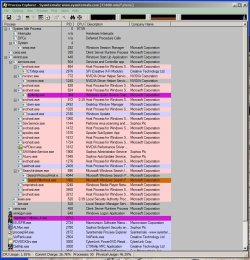
Here is a screenshot of the next bootup. I also noticed that everytime I boot up, I have to do a disk scan.
Attached Thumbnails
Computer lags every couple seconds-bootup.png  
My System SpecsSystem Spec
.


12-02-2009   #14


Quote   Quote: Originally Posted by crazlunatic View Post
Here are the snapshots.
Are you really running Firefox ver 1.9?

Was this an upgrade install?
My System SpecsSystem Spec
12-02-2009   #15


Windows 7 RTM X64


Quote   Quote: Originally Posted by crazlunatic View Post
Here is a screenshot of the next bootup. I also noticed that everytime I boot up, I have to do a disk scan.
That is because your hardrive is either corrupt or failing as I already mentioned, most likely you have corruption of your Op system or some files are missing. It's a fairly common problem.

Try typing cmd into start/search, then right click the little dos icon that appears and choose "run as admin" then type sfc/scannow into dos window and hit enter, let it run till it's done and see what it says at the end.

Last edited by chev65; 12-02-2009 at 06:53 PM..
My System SpecsSystem Spec
12-02-2009   #16


Windows 7 Ultimate


Just did a scan and it says

Microsoft Windows [Version 6.1.7600]
Copyright (c) 2009 Microsoft Corporation. All rights reserved.

C:\Windows\system32>sfc/scannow

Beginning system scan. This process will take some time.

Beginning verification phase of system scan.
Verification 100% complete.

Windows Resource Protection did not find any integrity violations.

C:\Windows\system32>

I'm using FF 3.5.5. lol and this is a clean install
My System SpecsSystem Spec
12-02-2009   #17


Windows 7 Ultimate x86-64


Don't touch services and try updating all your drivers. Then post a shot of your installed programs. What antivirus are you using? Schedule a disk check in the tools section when you right-click your hard drive and select properties. Also, that hardware is roughly average.
My System SpecsSystem Spec
12-03-2009   #18


Windows 7 Ultimate


Disk check is already performed at bootup. Windows Update doesn't detect any necessary driver updates. Here's a list of my programs:
Attached Thumbnails
Computer lags every couple seconds-prog1.png   Computer lags every couple seconds-prog2.png  
My System SpecsSystem Spec
12-03-2009   #19


Windows 7 Ultimate x86-64


Get rid of the device app, the media booster, and spybot. Reboot.
My System SpecsSystem Spec
12-03-2009   #20


Windows 7 Pro & Vista Home Premium


Also Device Doctor, DC++?

Did you uncheck everything from msconfig besides your MSE?
My System SpecsSystem Spec
Reply

 Computer lags every couple seconds problems?


Thread Tools


Similar Threads for: Computer lags every couple seconds
Thread Forum
Computer Lags 1-5 seconds trying to troubleshoot problem Performance & Maintenance
Firefox problem - Freeze a couple of seconds, a windows open & closes Browsers & Mail
Wireless Laser 8000 - Mouse sleeps after a couple of seconds Hardware & Devices
Video lags every 20-30 seconds Music, Pictures & Video
Google Chrome - browser lags every few seconds! Browsers & Mail


All times are GMT -5. The time now is 03:17 AM.


Windows 7 Forums is an independent web site and has not been authorized,
sponsored, or otherwise approved by Microsoft Corporation.
"Windows 7" and related materials are trademarks of Microsoft Corp.
© Designer Media Ltd
  

1 2 3 4 5 6 7 8 9 10 11 12 13 14 15 16 17 18 19 20 21 22 23 24 25 26 27 28 29 30