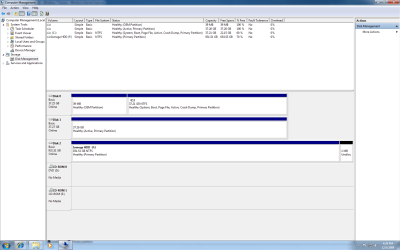
I have a second internal hard drive with data. Currently it is the slave. I have tried cable select with the same result. Disk management sees the drive but I cant assign it a letter. All options under Task -> All options are greyed out except delete volume. How do I give it a letter so I can access the data?.
I seearched but could not find a solution that worked for me. I have tried to attach two pictures.
There may be a better way, but I've used a drive/partition manager, like Achronis Disk Director to do this in the past, but that was with XP, and DDS is not yet compatible with Windows 7. There must be some software that will work.
I have a second internal hard drive with data. Currently it is the slave. I have tried cable select with the same result. Disk management sees the drive but I cant assign it a letter. All options under Task -> All options are greyed out except delete volume. How do I give it a letter so I can access the data?.
I seearched but could not find a solution that worked for me. I have tried to attach two pictures.
Thanks
Chef
Something isn't right with that second drive. Windows sees the physical drive but not how it is formated - it should indicate NTFS, FAT, FAT32 (if MS formated) - it probably wouldn't see ext, reiser, other Linux/Unix formats.
System Manufacturer/Model Number (5 different computers booting up to 12 systems) OS 32bit: XP, Win7 H.P. / 64bit: 2008R2, Win7 Pro, Ultimate / Several flavors of Linux
I think it is the active flag and active (bootable) drives cannot have certain edits done. We use to be able to remove the active flag from command prompt.