When I did a google search I found one possible solution to my first problem.
I need to change group permissions in Computer Management. Even when I "Run as Administrator" there are no "Local users and Groups" listed under the "System Tools"
This has been giving me fits. Every post regarding it I find say all I need to do is run it with Admin privileges but it's not working for me.

Thanks if someone will help.
Yum
Windows 7 Home Premium does not have that feature built in. What do you need to do in "Local Users and Groups?"
Cheers!
Robert
I'm having a problem trying to correct a persistent Event ID error that keeps showing up in Event Viewer. "The application-specific permission settings do not grant Local Launch permission for the COM Server application with CLSID
{C97FCC79-E628-407D-AE68-A06AD6D8B4D1}" I actually found a couple of guides on how to fis this - change the launch permissions for the app that's causing the problem (IPbusEnum) but when I try to change launch permissions using dcomcnfg the options on the properties securitys tabe are grayed out and not available. Running as administrator does not work. I tried that.
When I did a google search I found the same problem in Technet with the following response:
Hi, the issue may occur if the permission setting is incorrect.
Follow the steps below to change the related settings in Computer Management.
1. Right click "Computer", Click "Manage".
2. Under the "System Tools" section, double click "Local Users and Groups", click "Groups", right click "Administrators".
3. Click "Add to group...", click "Add", click "Advanced", click "Find Now".
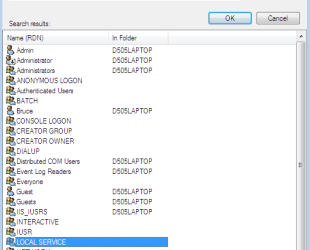
4. Double click "Local Service", click "Ok".
5. "NT Authority\Local Service" should show up in the list now. Click "Ok"
6. Close Computer Management and reboot.
This brings me back to local users and groups not being available.
So if Windows Home Premium doesn't have it available what would the work around be?
Thanks,
Yum