Windows 7 Forums


Windows 7: Sticky Note Application gone

09 Mar 2009   #1

Windows 7 Ultimate 64 Bit
California
 
 
Sticky Note Application gone

I recently noticed that the default sticky note app that comes in Win 7 has just vanished. Seriously, there is no trace of it anymore. Anyone know where it's default location is and has anyone else had this happen to them?

My System SpecsSystem Spec

09 Mar 2009   #2

Win7 Ultimate x64 on Desktop / Win7 Ultimate x86 on laptop / Win7 x86 Starter on Netbook
UK


Just do a search using the Start button and it will find it.
My System SpecsSystem Spec
09 Mar 2009   #3

64-bit Windows 7 Ultimate SP1 & Windows 8 Enterprise
Texas


Hello ThatDuckGuy,

It should be located at C:\Windows\system32\StikyNot.exe by default.

The shorcut in the Start menu is located at All Programs, Accessories, Sticky Notes.

If it is not at these locations, then check to make sure that you have not turned off Tablet PC Components in Windows Features.

Hope this helps,
Shawn
My System SpecsSystem Spec
.


09 Mar 2009   #4

Windows 7 Ultimate 64 Bit
California


Thanks for the replies guys and I tried what you have told me but still nothing.

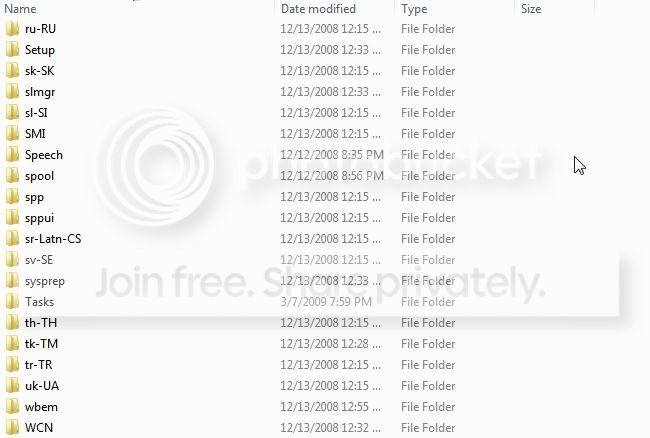
Here is a screenshot of when I check for the file location.


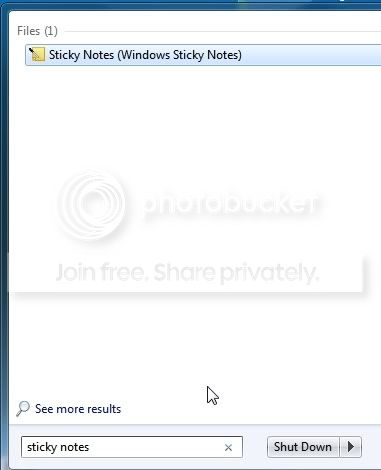
As you can see it is missing the file location for some reason. Also when I search this is the result:


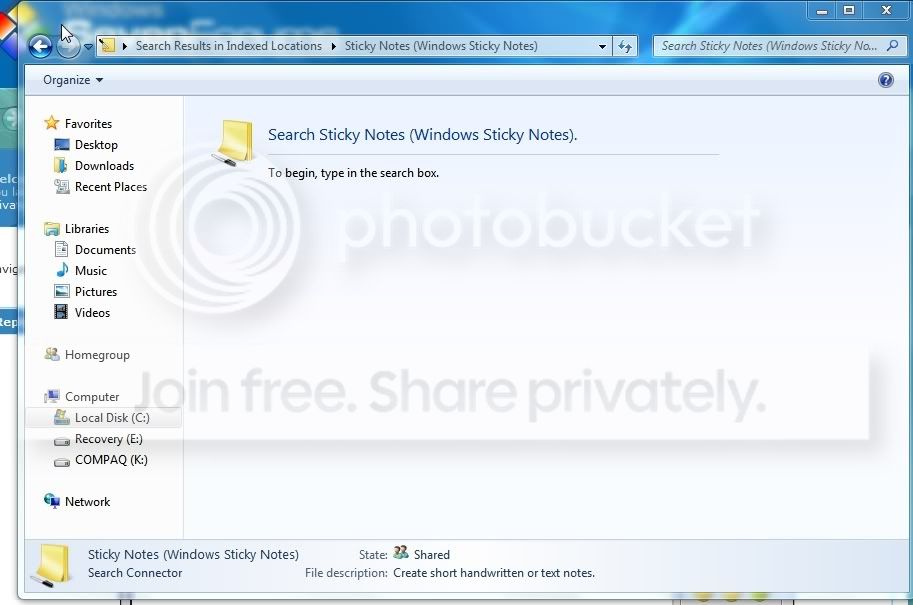
But after clicking it this is what it brings me to:


So strangely it looks like the actual application is gone but remnants from it are still here. Lastly it isn't in the accessories folder in the program menu.


If you guys have any other advice I'd love to hear it.
My System SpecsSystem Spec
09 Mar 2009   #5

64-bit Windows 7 Ultimate SP1 & Windows 8 Enterprise
Texas


Is Tablet PC Components checked in Windows Features?
My System SpecsSystem Spec
09 Mar 2009   #6

Windows 7 Ultimate 64 Bit
California


After checking that it is currently selected in the checklist.

My System SpecsSystem Spec
10 Mar 2009   #7

Windows 7 Ultimate x64 Service Pack 1
Doncaster, UK


Hi ThatDuckGuy,

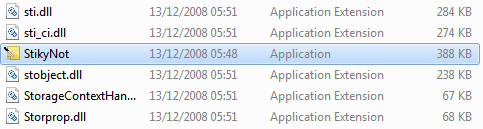
Recheck the C:\Windows\System32 folder. Your image just shows some of the sub-folders in this location. If you scroll further down, you will see a long list of files. Scroll down until you see this:
Sticky Note Application gone-capture.png
The highlighted file is the one you require.
My System SpecsSystem Spec
10 Mar 2009   #8

Windows 7 Ultimate 64 Bit
California


Quote   Quote: Originally Posted by Dwarf View Post
Hi ThatDuckGuy,

Recheck the C:\Windows\System32 folder. Your image just shows some of the sub-folders in this location. If you scroll further down, you will see a long list of files. Scroll down until you see this:
Attachment 5642
The highlighted file is the one you require.
Hah. There it is! Thanks I got it, now I'll just make a new shortcut for it on the dektop.
My System SpecsSystem Spec
10 Mar 2009   #9

Vista and now 7 in 32 and 64 bit.
Denmark


Just right click it and pin it to your choice (taskbar -Start menu)
My System SpecsSystem Spec
10 Mar 2009   #10

Vista Ult64, Win7600
Dublin


I can't resist,So that was a STICKY situation resolved.
My System SpecsSystem Spec
Reply

 Sticky Note Application gone problems?


Thread Tools


Similar help and support threads for: Sticky Note Application gone
Thread Forum
Cannot configure this even with sticky note Microsoft Office
Sticky Note restore/re-install General Discussion
How to insert text into sticky note General Discussion
Pin sticky note to desktop Software


All times are GMT -5. The time now is 11:46 AM.


Windows 7 Forums is an independent web site and has not been authorized,
sponsored, or otherwise approved by Microsoft Corporation.
"Windows 7" and related materials are trademarks of Microsoft Corp.
© Designer Media Ltd