Windows 7 Forums Search
Welcome to Windows 7 Forums. Our forum is dedicated to helping you find solutions with any problems, errors or issues you are experiencing with Windows 7. The Windows 7 forum also covers news and updates and has an extensive Windows 7 tutorial section that covers a wide range of tips and tricks.


Windows 7 - control panel is not opening

 
02-14-2010   #1


windows7


control panel is not opening

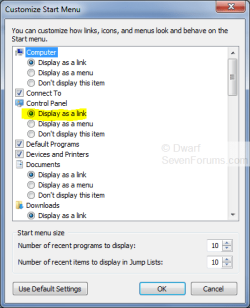
when i m opening control panel from start menu as a link, i get an error everytime from Explorer.EXE- "This file does not have a programe associated with it for performing this action. Please install a programe or, if one is already installed, creat an association in the Default Programe control panel." , But as a menu it opens. Can anyone suggest me how can i fix this problem? I also tried to solve this problem by making another user account, or by using system restore point, but problem is not solved.

My System SpecsSystem Spec
02-14-2010   #2


Windows 7 Ultimate x64 SP1


Hello Abhay, and welcome to Seven Forums.

You might see if using the EXE download in the tutorial below may be able to help.

Default File Type Associations - Restore

If not, then you can do a repair install to fix this.

Hope this helps,
Shawn
My System SpecsSystem Spec
02-14-2010   #3


Windows 7 Ultimate (64)


The file that is failing is C:/Windows/System32/control.exe... Can find it manually through Windows explorer?

Edit: Getting slow in my old age! Since Brink is looking at it I'll step aside...


Last edited by Brink; 02-14-2010 at 12:46 AM.. Reason: opps
My System SpecsSystem Spec
.


02-14-2010   #4


windows7


thank you for quick reply. tell me, for this problem which extension i have to download?
My System SpecsSystem Spec
02-14-2010   #5


Windows 7 Ultimate x64 SP1


All input is welcomed Ken (Win7clutz). Please add anything that you feel can help.


Anhay, try the EXE download.
My System SpecsSystem Spec
02-14-2010   #6


Windows 7 Ultimate (64)


There is no extension... Locate and manually run control.exe
My System SpecsSystem Spec
02-14-2010   #7


windows7


i have got control.exe file. and it is opening control panel. but how can a join it to start menu option as a link?
My System SpecsSystem Spec
02-14-2010   #8


Windows 7 Ultimate (64)


Unlike setting associations with installed apps like Word, Excel, etc, this is a system link and I don't know how to correct it!

Hopefully BRINK or another MVP's here can assist...

EDIT: I assume that if this association is corrupt, you'll have issues that will show up day to day. That would tell me to do a repair intsall.

Last edited by win7clutz; 02-14-2010 at 01:13 AM.. Reason: new
My System SpecsSystem Spec
02-14-2010   #9


Windows 7 Ultimate, Ubuntu 10.04 LTS - the Lucid Lynx


Quote   Quote: Originally Posted by Abhay View Post
i have got control.exe file. and it is opening control panel. but how can a join it to start menu option as a link?
I guess it would be quiet hard to re-link the Control Panel link try to Create a new User Profile and see whether you have the same problem there.

Good Luck,
Captain
My System SpecsSystem Spec
02-14-2010   #10


windows7


Is there any solution except repair install?
My System SpecsSystem Spec
Reply

 control panel is not opening problems?


Thread Tools


Similar Threads for: control panel is not opening
Thread Forum
Solved Control Panel Themes and Styles
Opening up Control Panel crashed Windows Explorer Crashes and Debugging
How to change the color of the top panel in control panel Themes and Styles
Control Panel Crashes and Debugging


All times are GMT -5. The time now is 04:36 AM.


Windows 7 Forums is an independent web site and has not been authorized,
sponsored, or otherwise approved by Microsoft Corporation.
"Windows 7" and related materials are trademarks of Microsoft Corp.
© Designer Media Ltd
  

1 2 3 4 5 6 7 8 9 10 11 12 13 14 15 16 17 18 19 20 21 22 23 24 25 26 27 28 29 30