
Hello,
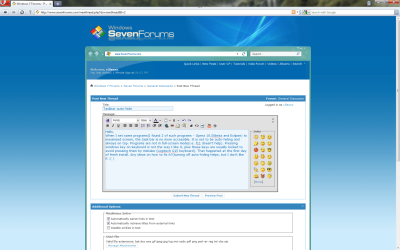
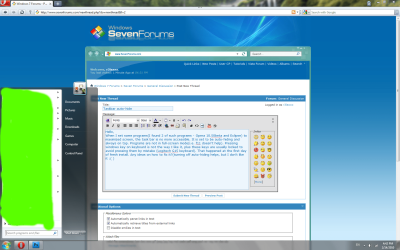
When I set some programs(I found 2 of such programs - Opera 10.50beta and Eclipse) to maximized screen, the task bar is no more accessible. It is set to be auto-hiding and always on top. Programs are not in full-screen mode(i.e. f11 doesn't help). Pressing windows key on keyboard is not the way I like it, plus these keys are usually locked to avoid pressing them by mistake (Logitech G15 keyboard). That happened at the first day of fresh install. Any ideas on how to fix it?(turning off auto-hiding helps, but I don't like it )
)
Same on netbook Acer Aspire One.
When I set some programs(I found 2 of such programs - Opera 10.50beta and Eclipse) to maximized screen, the task bar is no more accessible. It is set to be auto-hiding and always on top. Programs are not in full-screen mode(i.e. f11 doesn't help). Pressing windows key on keyboard is not the way I like it, plus these keys are usually locked to avoid pressing them by mistake (Logitech G15 keyboard). That happened at the first day of fresh install. Any ideas on how to fix it?(turning off auto-hiding helps, but I don't like it
)Same on netbook Acer Aspire One.
Attachments
Last edited:
My Computer
At a glance
Windows 7 Pro x64Intel Core 2 Extreme QX9650OCZ 4GB PC12800 DDRIII, 7-7-7-24Gigabyte GeForce GTX 280
- OS
- Windows 7 Pro x64
- CPU
- Intel Core 2 Extreme QX9650
- Motherboard
- Asus Maximus Extreme
- Memory
- OCZ 4GB PC12800 DDRIII, 7-7-7-24
- Graphics Card(s)
- Gigabyte GeForce GTX 280
- Sound Card
- X-Fi Xtreme Gamer Fatal1ty Professional Series
- Monitor(s) Displays
- Samsung SyncMaster 2232BW
- Hard Drives
- RAID 0 - 2x Intel® X25-M SSD 80GB, Gen.2
Seagate Barracuda ES.2 7200.2, 750GB, 32MB, SATAII
- PSU
- OCZ 1010 Watt GameXstream
- Case
- Compucase MIDITOWER 6X ALU
- Cooling
- Ultra-120 eXtreme + few Scythe SlipStream 1200rmp case fans


