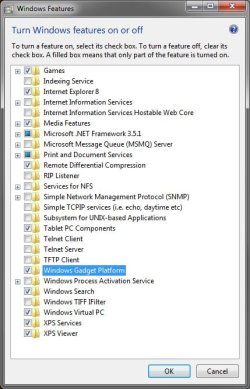
I have searched for an answer to this issue for 2 days. My gadgets have just disappeared. I didn't change anything as far as I knowI have never changed the user account settings (they are on the 3rd setting). I have win7 installed on the computer already I bought 4 months ago. When I try to click on the gadget settings on the desktop dialogue or control panel a dialogue box comes up and says: "Windows desktop gadgets have stopped working, windows is searching for a solution to the problem" and the box stays on for a few seconds and then disappears.
Important note: When I created another user account (guest), and go to that account the gadgets work fine. Only my administrator account do they not work. I have tried putting my registry back to a 2 week point and still nothing on the admin account.
Any ideas?
Important note: When I created another user account (guest), and go to that account the gadgets work fine. Only my administrator account do they not work. I have tried putting my registry back to a 2 week point and still nothing on the admin account.
Any ideas?
My Computer
At a glance
Windows 7Intel core 24gb
- Computer Manufacturer/Model Number
- Toshiba Satellite L505
- OS
- Windows 7
- CPU
- Intel core 2
- Memory
- 4gb