Hi Smarteyeball,
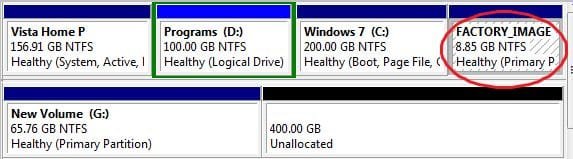
Thanks for posting the screenshot - it's interesting.
Was that a new hd that you partitioned with Win7 during the installation ?
It's a good thing as you can make an image of that 200mb partition to restore in an emergency. I have the Paragon Drive Backup, which lets you make a small bootable cd - so you can boot in , find the backup image and restore it - I assume Acronis etc are pretty much the same?

No worries
 and yep, it was a brand spanking new unformatted drive.
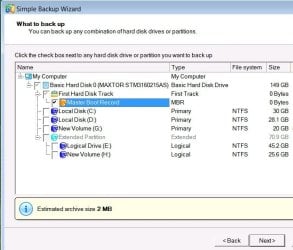
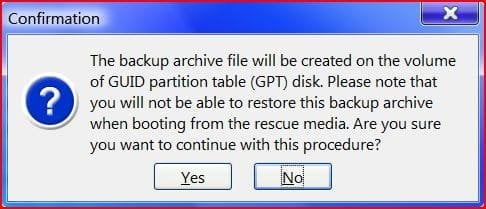
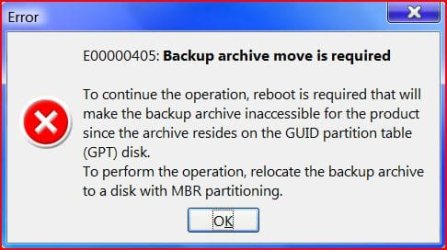
Funny you should mention backing up that boot partition. Last night I tried using the Vista back up and restore centre and it refused to work. Insufficient space errors due to Volume Shadow Copy. Since there was no option to deselect the 200MB partition in the GUI backup, I used the wbadmin cmd line to back up the Vista partition alone and it worked. I then tried it on the 200Mb partition with no success. I'm going to give Acronis a go later and see how it goes.
(BTW, the target drive had 298GB free space, so that's not an issue
 )
)My Computer
At a glance
8 Pro x64i7 3770K 4.6GHz16GB G.Skill Trident X 2666mhzx2 EVGA 780 Ti Superclocked SLI
- Computer type
- PC/Desktop
- Computer Manufacturer/Model Number
- Systems by SmartEyeball
- OS
- 8 Pro x64
- CPU
- i7 3770K 4.6GHz
- Motherboard
- ASUS P8Z77 WS
- Memory
- 16GB G.Skill Trident X 2666mhz
- Graphics Card(s)
- x2 EVGA 780 Ti Superclocked SLI
- Sound Card
- SB X-FI Surround 5.1 PRO USB / ATH-AD900 Headphones
- Monitor(s) Displays
- x3 Dell U2410 / 58" Samsung
- Screen Resolution
- 5760*1200/ 1920*1200
- Hard Drives
- 2x Intel 520 240GB (RAID 0) * 2x WD Caviar Blacks 2TB (RAID 0) * 2TB WD Caviar Black * Sony Optirac DVD
- PSU
- Silverstone Strider Evolution 1200W
- Case
- Thermaltake Level 10 GT Snow Edition
- Cooling
- Noctua NH-D14
- Keyboard
- Topre Realforce // Ducky Shine MX Black // Filco Ninja TKL
- Mouse
- Thermaltake Theron (Highly Recommended) + Razer Imperator
- Antivirus
- MSE
- Browser
- IE, FF, WaterFox
- Other Info
- GT Extreme V2 Sim Racing Cockpit + 40" LCD and K/B Mouse stand ▼
Fanatec CSR Elite Wheel + Clubsport V1 Pedals + CSR shifter/7G-H ▼Saitek X52 Pro ▼ TrackIR 5 Pro
Buttkicker v2 Seat Rumbler with Dedicated 5.1 and Sub Woofer attached to frame ▼
=
Bloody Big Grin