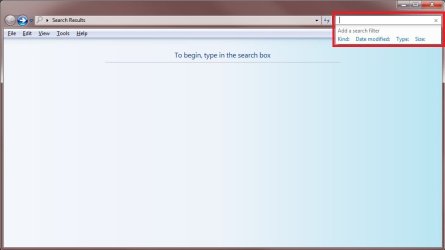
Is there a workaround to search and sort files by [extension] NOT [type]?
There appears to be no column heading for file extension eg *.mp3; *.txt; *.cs; etc.
As a very recent convert from XP I also miss the advanced search dialogue screen - is it hidden somewhere?
There appears to be no column heading for file extension eg *.mp3; *.txt; *.cs; etc.
As a very recent convert from XP I also miss the advanced search dialogue screen - is it hidden somewhere?
My Computer
At a glance
64-Bit W7 GA Ultimate 6.1 Build 7600I7 920 no oc (yet)6gb Corsair TR3X6G1600C9 XMS3 PC3-12800EVGA GTX 260-216 896mb
- Computer Manufacturer/Model Number
- mike2h V1.0
- OS
- 64-Bit W7 GA Ultimate 6.1 Build 7600
- CPU
- I7 920 no oc (yet)
- Motherboard
- P6T Deluxe V2
- Memory
- 6gb Corsair TR3X6G1600C9 XMS3 PC3-12800
- Graphics Card(s)
- EVGA GTX 260-216 896mb
- Sound Card
- on board
- Monitor(s) Displays
- Dell 2408WFP rev A01,Hanns.G Hi221
- Screen Resolution
- 1200x1920 32-bit;1680x1050
- Hard Drives
- 2 Seagate 500gb 32mb cache, 2 Seagate 1tb
- PSU
- Corsair HX1000w
- Case
- Akasa Eclipse 62
- Cooling
- Noctua NH-U12P SE1366 2X 120mm fans push pull
- Keyboard
- wired
- Mouse
- wired
- Internet Speed
- Zen.co.uk 1mb (100gb monthly)
- Other Info
- Samsung SH-S223F;Sony Brava KDL-46X2000 1080p;1.2m Satellite Dish