- Local time
- 9:49 AM
- Messages
- 16,794
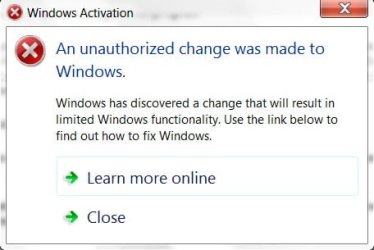
On booting up today, I got this message:
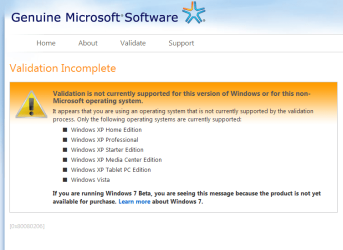
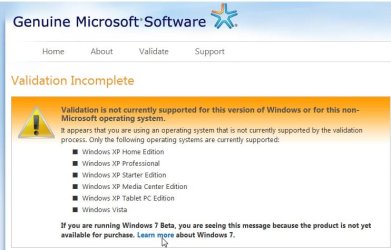
Follow the instructions to install WGA plugin , click the validate button and you should get this:

NOTE: If you are using FF go to Tools>Options and ensure Java script is enabled. If you have NoScript, allow scripts globally.
Make sure you have your product key to hand - you need to restart and enter the key when requested - you will not get the option in The System window.
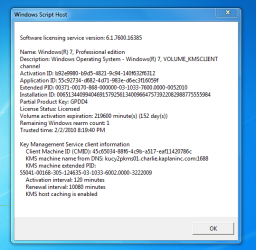
You should get a message telling you it is Genuine.
If the Desktop is still Black - rt click and personalise to return to normal.
If you have any difficulty, here are the plugins ( extract from zip folder and double click to install)
Windows:
View attachment WGAPluginInstall.zip
View attachment legitcheck.zip
Office:
View attachment OGAPluginInstall.zip
Relevant links:
Genuine Microsoft Software
Genuine Microsoft Software
Genuine Microsoft Software
Genuine Microsoft Software
Follow the instructions to install WGA plugin , click the validate button and you should get this:
NOTE: If you are using FF go to Tools>Options and ensure Java script is enabled. If you have NoScript, allow scripts globally.
Make sure you have your product key to hand - you need to restart and enter the key when requested - you will not get the option in The System window.
You should get a message telling you it is Genuine.
If the Desktop is still Black - rt click and personalise to return to normal.
If you have any difficulty, here are the plugins ( extract from zip folder and double click to install)
Windows:
View attachment WGAPluginInstall.zip
View attachment legitcheck.zip
Office:
View attachment OGAPluginInstall.zip
Relevant links:
Genuine Microsoft Software
Genuine Microsoft Software
Genuine Microsoft Software
Genuine Microsoft Software
My Computers
-
At a glance
7 X64i5 84002x8gb 3200mhz- Computer type
- PC/Desktop
- OS
- 7 X64
- CPU
- i5 8400
- Motherboard
- gigabyte b365m ds3h
- Memory
- 2x8gb 3200mhz
- Hard Drives
- various
- PSU
- pure power 11 400w cm
- Case
- Coolermaster
- Cooling
- cryorig m9i
-
At a glance
7x64g54008gb ddr4 2400- Computer type
- PC/Desktop
- OS
- 7x64
- CPU
- g5400
- Motherboard
- ga b365m ds3h
- Memory
- 8gb ddr4 2400
- PSU
- xfx pro 450w