aeronauticsrock
New member
- Local time
- 7:44 PM
- Messages
- 33
I have a problem with 7077 that I cant see to find anything on...
The taskbar is very weird. These are the symptoms:
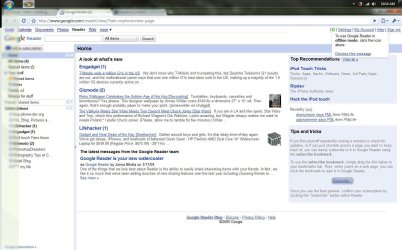
1) When it is on the top, it extends past the normal height and is as "tall" as is "wide" when it is docked on the side. Everything looks right, but the mask extends too far down, making things there (the top of my browser, icons) blurry.
Sometimes this goes away when I move it back and forth to different positions... or sometimes:
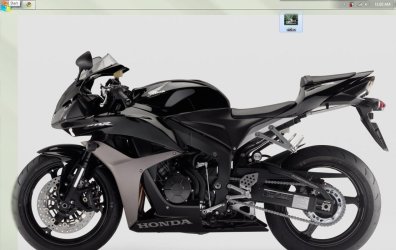
2) After moving it around, ill have it on the top of my screen. But there is a taskbar mask on the left side of the screen too! So the bar is at the top and the left inch of my screen is randomly blurry (from the taskbar mask).
Have any idea what can cause this? Im fully stumped.
The taskbar is very weird. These are the symptoms:
1) When it is on the top, it extends past the normal height and is as "tall" as is "wide" when it is docked on the side. Everything looks right, but the mask extends too far down, making things there (the top of my browser, icons) blurry.
Sometimes this goes away when I move it back and forth to different positions... or sometimes:
2) After moving it around, ill have it on the top of my screen. But there is a taskbar mask on the left side of the screen too! So the bar is at the top and the left inch of my screen is randomly blurry (from the taskbar mask).
Have any idea what can cause this? Im fully stumped.
My Computer
At a glance
Windows 7 7127
- OS
- Windows 7 7127