Hello everyone.
May i know how do i change the font size of some programs like mozilla, google chrome as shown in the picture below
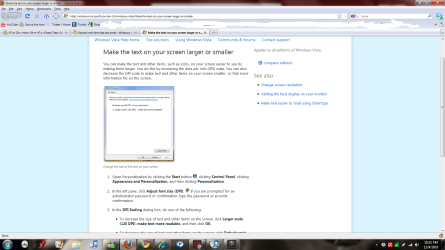
it's ridiculously small and the thing is that, it has nthng gotta do with control panel font size etc. it's only affected in mozilla, google chrome, titles, but not the content.
it's only small in the headings. the rest are fine.. anyhow knows the solution?
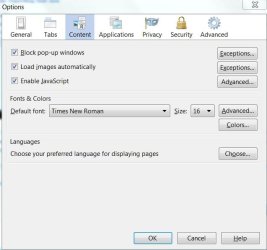
In Firefox you can set the default font size. You can also temporarily set sizes in many programs by holding the control key down and rotating the mouse wheel. Just rotate the wheel a little to make changes gradually.
System Manufacturer/Model Number Home built OS Windows 7 Ultimate 32 bit CPU Intel(R) Pentium(R) 4 CPU 3.00GHz Motherboard ASUS P4P800-VM Motherboard Chipset: Intel 865G + ICH5 Memory 2.50 GB RAM Graphics Card NVIDIA GeForce 7600 GS Sound Card SoundMax Integrated Digital Audio (Chip) Monitor(s) Displays ViewSonic VX 1962 wm Screen Resolution 1680 X 1050
Keyboard Microsoft Comfort Curve Keyboard 2000 v10 USB Mouse Logitec optic USB Cooling Fan based Hard Drives Seagate Barracuda 7200.10 80 GB
ST380215A ATA Device 18.6 GB
Western Digital "My Book" external hard drive 750 GB Internet Speed 3.01 Mb/s download 0.64 Mb/s upload
Also, you can try clicking ctrl and + or -, or ctrl and scroling the mouse wheel, it will make the page wider, in your pic you have a lot of unused space.
cheers
no no, it's not the contents on the page that is small, it's the title only.
example, this website is ''Windows 7 Forums'', and the small font is only ''Windows 7 Forums'' and the URL, and bookmark tool.
The contents on the page including the words you're reading now is all normal size.
I'm sure it's not mozilla options or what cause my other browsers (IE / Chrome) also have the same problem, much smaller font titles, but content is normal.